

Quick Answer
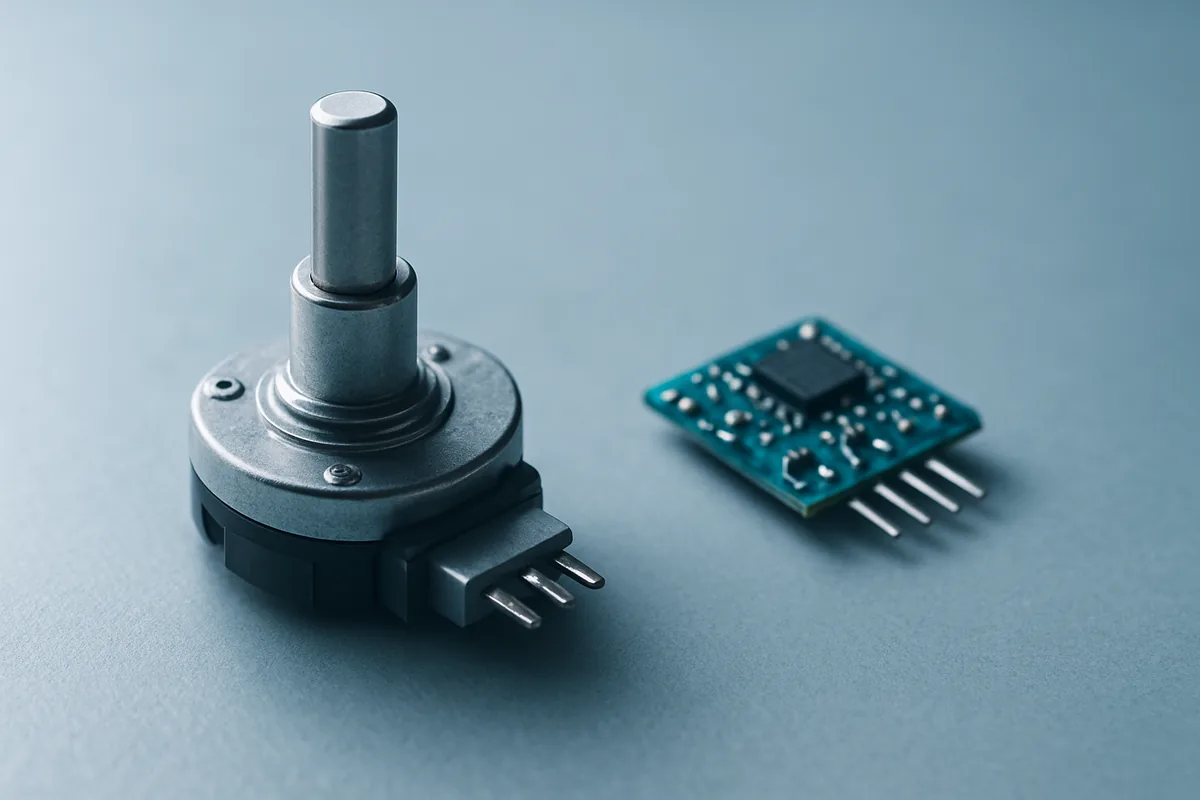
A rotary encoder is an electromechanical sensor that converts the rotation of a shaft into an electrical signal, reporting position, speed, and direction to a controller. The two main types are incremental, which outputs pulses for relative movement, and absolute, which outputs a unique code for each position and keeps it after power loss.
Key Takeaways
- A rotary encoder converts shaft rotation into a digital or analog signal for position, speed, and direction.
- Incremental encoders output pulses and need a home reference, while absolute encoders output a unique code per position.
- Absolute encoders keep their position after a power loss, whereas incremental encoders must re-home.
- Quadrature A and B channels let a controller detect direction and multiply resolution up to 4x.
- Encoders appear everywhere, from CNC machines and robots to volume knobs and camera dials.
What is a rotary encoder?
A rotary encoder is an electromechanical position sensor that converts the angular position, speed, and direction of a rotating shaft into an electrical signal a controller can read. It mounts on a motor, gearbox, lead screw, or any rotating part and reports what that shaft is doing back to a device such as a PLC, motion controller, or drive. In short, it is how a machine knows how far and how fast something has turned, and that feedback is what makes precise, repeatable, automated motion possible in the first place.
Unlike a potentiometer, a rotary encoder has no resistive track and no mechanical stop, so it can spin indefinitely in either direction. That makes it a durable, long-life feedback element whose only real wear points are its bearings and its internal code disc or magnetic ring. You can read a broader technical overview on Wikipedia’s rotary encoder page.
How does a rotary encoder work?
A rotary encoder works by sensing the movement of a patterned disc or ring attached to the shaft and turning that into electrical pulses or codes. As the shaft turns, a sensor reads the pattern and the encoder outputs a signal that the controller decodes into position, speed, and direction. The two most common sensing methods are optical and magnetic.
Optical encoders shine light through or onto a disc etched with fine markings, and a photodetector reads the light and dark transitions. Magnetic encoders instead sense the changing field of a magnetized ring using a Hall-effect or magnetoresistive sensor. Optical designs typically offer higher resolution, while magnetic designs tolerate dust, vibration, and contamination better, which is why the right choice depends on the environment. A third family, capacitive encoders, splits the difference and has grown more common in compact, cost-sensitive designs. Whatever the sensing method, the output stage is what your controller actually reads, so it defines how you wire and program the device.
What is the difference between incremental and absolute encoders?
The core difference is that an incremental encoder reports relative movement as pulses, while an absolute encoder reports the exact position as a unique code. Incremental encoders are simpler and cheaper, but they lose track of position when power is removed and must return to a known home point on startup. Absolute encoders cost more but know their exact position the instant they power on, with no homing routine required.
| Factor | Incremental encoder | Absolute encoder |
|---|---|---|
| Output | Pulse train (A/B channels) | Unique code per position |
| Position after power loss | Lost, must re-home | Retained instantly |
| Cost | Lower | Higher |
| Best when | Speed and direction feedback is enough | Position must be known immediately |
| Common interfaces | Quadrature, line driver | SSI, BiSS-C, EnDat, Profinet |
Absolute encoders also come in single-turn and multi-turn versions, where a multi-turn model tracks many full rotations (up to 4096 revolutions on some gear-based designs). The practical rule of thumb is to use incremental when cost matters and the system will home on startup anyway, and absolute when homing is impractical or unsafe, such as on a multi-axis robot arm.
What is quadrature and encoder resolution?
Quadrature is the technique that lets an incremental encoder show direction as well as movement, using two output channels offset by 90 degrees. When Channel A leads Channel B, the shaft is turning one way, and when B leads A, it is turning the other. A separate Z or index pulse fires once per 360-degree turn to mark a reference point.
Resolution is measured in pulses per revolution (PPR), and quadrature decoding can multiply it. By counting the rising and falling edges of both channels, a controller reads 4 counts for every pulse, so a 1000 PPR encoder delivers 4000 counts per revolution in 4x mode. Higher resolution means finer position control, which matters for precise motion but also demands faster, cleaner signal handling.
Where do you find rotary encoders in everyday devices?
Rotary encoders are far more common in daily life than most people realize, well beyond the factory floor. The clicky volume knob on a car stereo or studio mixer and the setting dials on a camera use the same rotary-encoding principle. So do the scroll and jog wheels on audio control surfaces and the knobs on many mechanical keyboards. Each one translates a human turn into precise digital steps, with the detents you feel often built into the encoder itself.
They are just as central to the maker world. Hobbyist encoders wire directly into an Arduino or Raspberry Pi, letting builders add menu navigation, motor feedback, and position sensing to their own projects. And in the machines that shape modern life, encoders provide the closed-loop feedback behind 3D printers, CNC routers, robotics, conveyor systems, and elevators. In these systems the encoder is the sensor that closes the loop, constantly telling the controller whether the motor actually reached the commanded position so it can correct any error in real time.
How do you choose the right rotary encoder?
Choosing the right rotary encoder comes down to matching four things: the position requirement, the resolution, the environment, and the electrical interface. Decide first whether you need absolute position on power-up or whether incremental speed and direction feedback is enough, since that sets the type. Then pick a resolution high enough for your precision without overwhelming your controller.
Stop here and confirm the encoder’s output interface matches your controller before you buy, because a mismatch, such as an SSI absolute encoder wired to a quadrature-only input, simply will not work without extra hardware. Environment matters too: choose magnetic or sealed designs for dusty, wet, or high-vibration settings. For industrial-grade options across both types, a specialist manufacturer’s catalog of rotary encoders is a good place to compare resolutions, mounting styles, and interfaces.
Finally, check the mechanical fit, including shaft size, mounting style, and whether you need a shafted or hollow-bore design. Getting these basics right the first time avoids the most common integration headaches and keeps your motion system accurate and reliable. It also helps to leave some resolution headroom, since an encoder chosen only for today’s requirement can become the bottleneck if you later upgrade the motor or demand tighter positioning.
FAQ
What does a rotary encoder do?
A rotary encoder converts the rotation of a shaft into an electrical signal that reports position, speed, and direction. A controller reads that signal to track exactly how a motor or dial is moving.
What is the difference between an incremental and absolute encoder?
An incremental encoder outputs pulses that track movement relative to a starting point, while an absolute encoder outputs a unique code for each position. Absolute encoders keep their position after a power loss, but incremental encoders must re-home.
Does an incremental encoder lose its position when powered off?
Yes, an incremental encoder loses its position on power loss and must return to a home reference at startup. If you need position immediately on power-up, an absolute encoder is the better choice.
What is quadrature output?
Quadrature output uses two channels offset by 90 degrees so a controller can detect direction, not just movement. It also allows resolution to be multiplied up to four times by counting both signal edges.
Are rotary encoders used in consumer electronics?
Yes, rotary encoders power volume knobs, camera dials, jog wheels, and many keyboard knobs, as well as maker projects on Arduino and Raspberry Pi. The same principle scales up to industrial robots and CNC machines.