

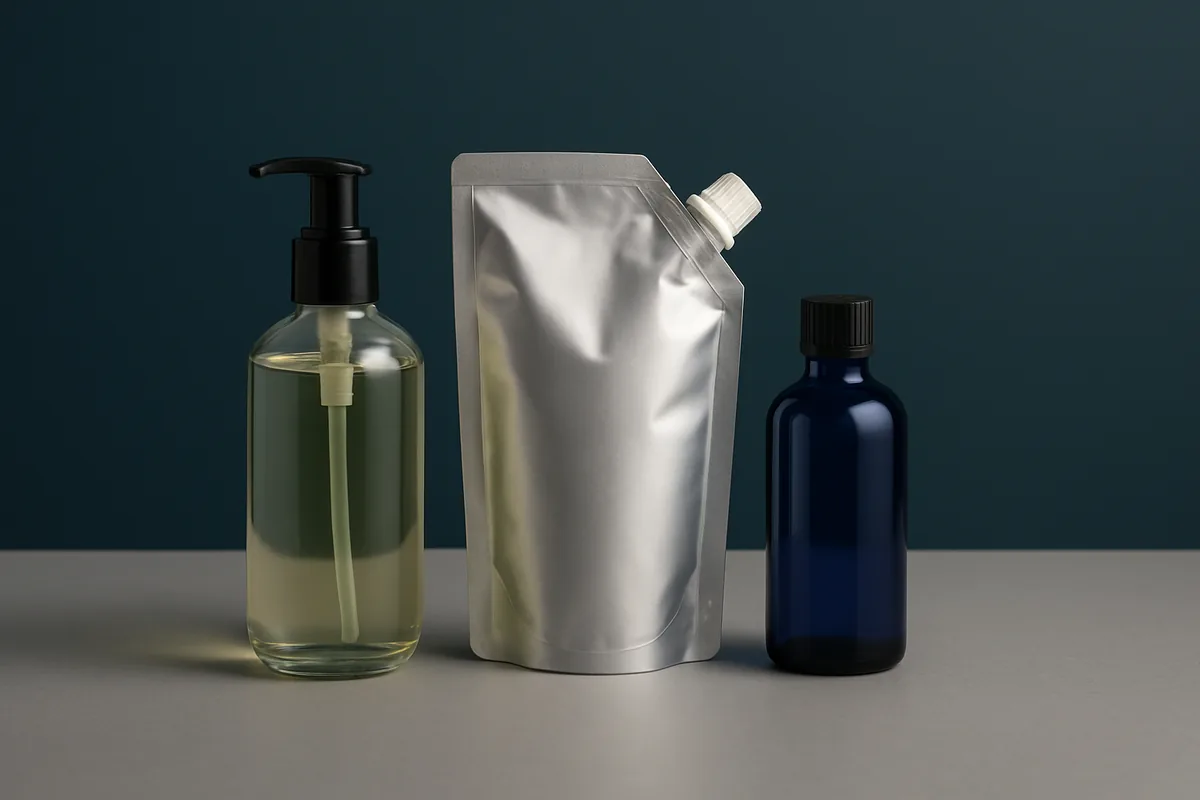
Quick Answer
A background swap on AI product images can change more than the backdrop. In this test, clear glass and a foil pouch kept their construction, and all six label lines stayed readable, but the blue bottle’s base turned more transparent. Check glass edges, folds and finish against the original before using an edit.
Key Takeaways
- Clear glass, reflective foil and small label text are the details most likely to show unwanted changes.
- A color cast on foil can belong to the new setting; a seam that moves or a corner that changes shape is a different problem.
- Readable, unchanged label text makes an edit easy to accept at a glance, so check the product’s finish separately.
- Save the chosen version alongside its reference so the next approver can see what changed.
A background swap is often one of the first edits a marketing team needs. The product shot is approved, but the next campaign calls for a different color. The brief seems straightforward until the image contains clear glass, reflective foil or a label covered in small type.
Those details make a good test of how much an image editor changes beyond the requested area. In this case, three product images were given the same new backdrop, then checked against their originals. For tools that create product shots in the first place, see our guide to the best free AI image generators.
The Background Edit
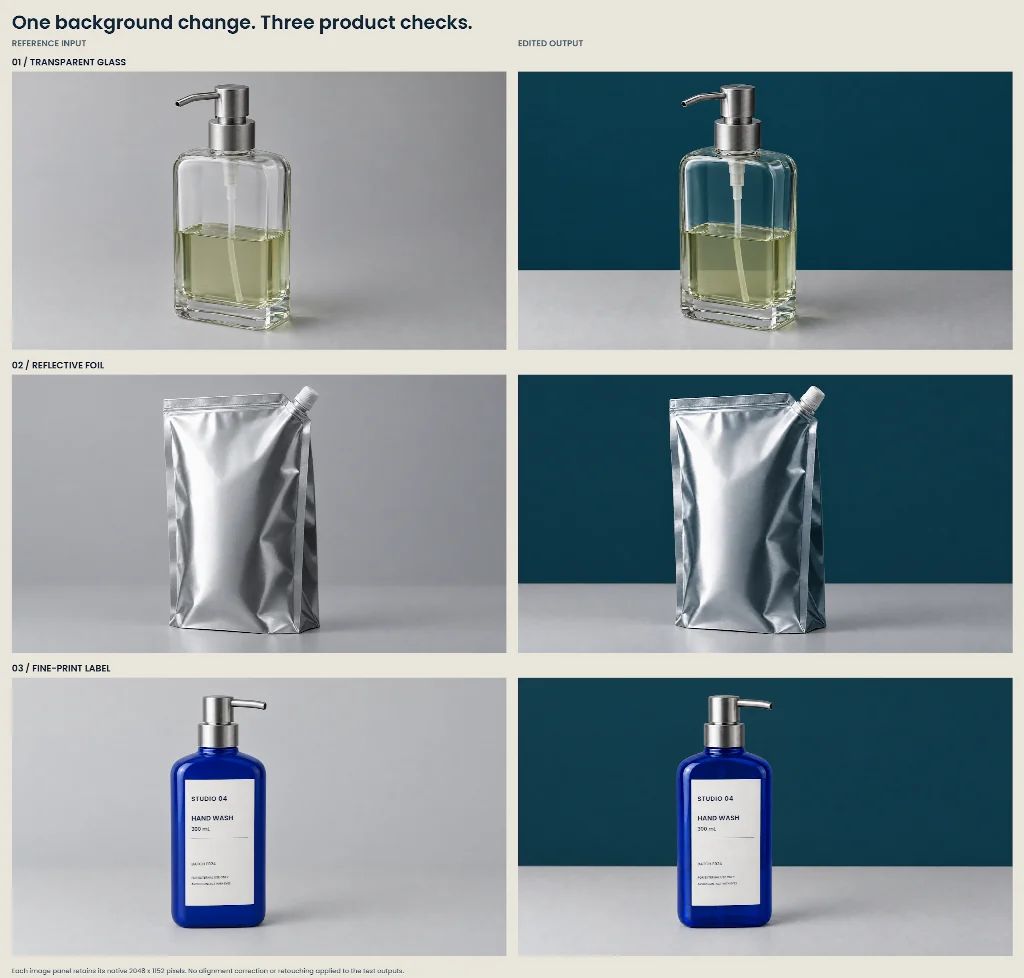
The test used three generated studio images: a clear pump bottle, a silver refill pouch and a cobalt-blue bottle. Exact text was added to the blue bottle’s label before editing, giving the comparison a fixed capacity, batch code and pair of warning lines to check.
The same background edit was run in Astorie for each image: replace the light-gray backdrop with deep petrol blue and leave the tabletop gray. The prompt also asked to preserve the camera angle, product shape, pump or spout, and any printed copy.
Each edited image came back at 2048 x 1152 pixels.
Clear Glass
The empty upper part of the clear bottle picked up the new blue backdrop. Its shoulders and thick base stayed close to the reference, and the pump tube remained visible both above and below the liquid surface.
That last detail is easy to miss when the overall image looks convincing. A tube that disappears at the liquid line, a shifted fill level or a doubled glass edge would need attention before the image went onto a product page.
The pale olive liquid remained distinct from the blue visible through the empty section.
Reflective Packaging
The silver pouch kept its sealed top edge, capped spout and right-hand gusset. The darker areas of the foil picked up a blue cast, but the main creases and corners remained easy to follow.
That is the change to expect from a reflective surface in different surroundings. When checking the result, trace a few folds from highlight to shadow. A color shift can belong to the new setting; a seam that moves or a corner that changes shape is a different problem.
Fine Print and Bottle Finish
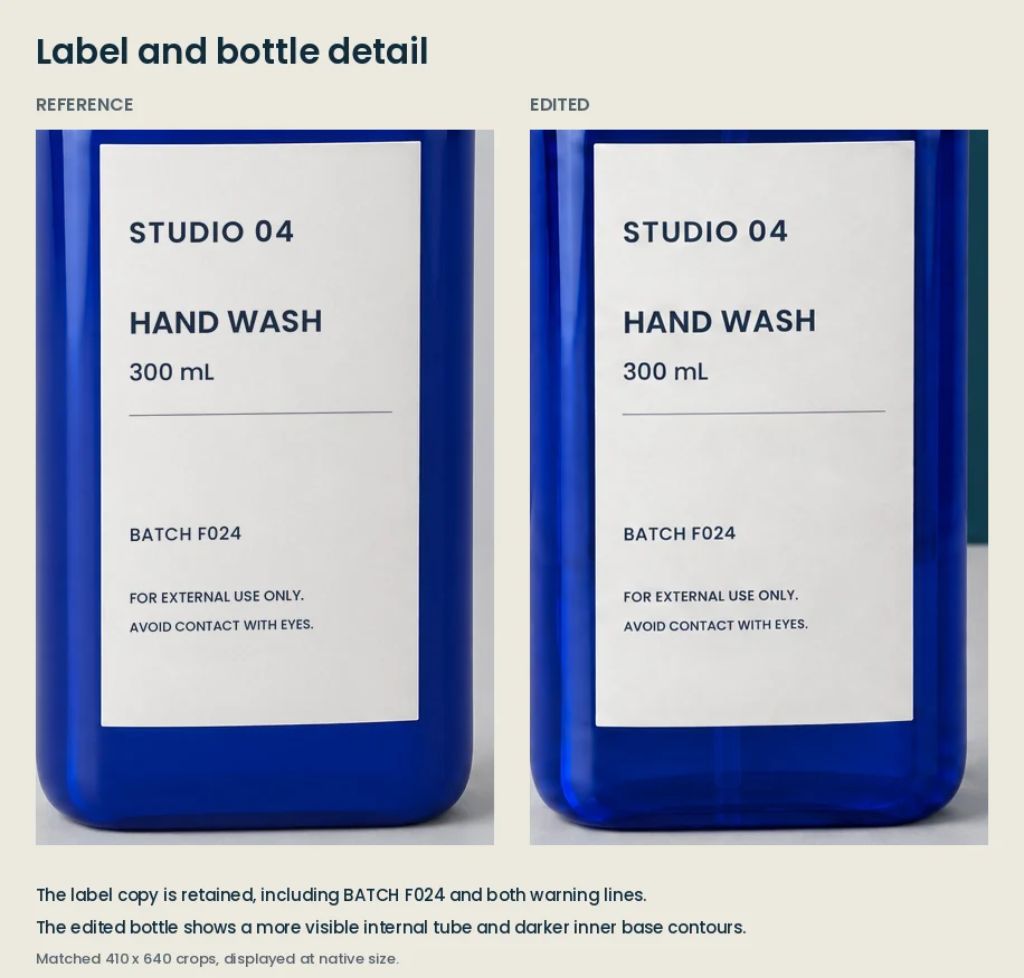
All six lines on the blue bottle’s label were still readable. “300 mL” and “BATCH F024” matched the reference, as did both warning lines at the bottom.
The bigger change was below the label. The base looked more transparent, and the pump tube and dark inner contours were now clearly visible through the blue glass. In the original, that area had looked much more solid.
The unchanged text makes the edit easy to accept at a glance. For a product listing, the bottle’s opacity still needs to match the item being sold. Google’s Merchant Center rules, for example, ask that a product’s main image accurately shows the product, and its image best practices cover matching color and finish.
What to Keep for the Final Image
For a campaign mood board, all three edits establish a consistent dark-blue setting. The glass bottle and refill pouch also offer useful starting points for finished artwork, with their visible construction largely intact.
The blue bottle needs a decision about the product itself: is the more transparent finish accurate? If not, keep the background and restore the original bottle, or use a photograph of the actual item. A local composite may be a better next step than another full generation. Our roundup of free Photoshop alternatives covers editors that can handle that kind of layered fix.
Save the chosen version alongside its reference. It gives the next person approving the image a clear view of what changed.
FAQ
Can an AI background edit change the product itself?
Yes. In this test, the background swap left the label text intact but made the blue bottle’s base look more transparent than in the original. Always compare the edited product against its reference, not just the new backdrop.
What should I check after changing a product photo background with AI?
Check glass edges, fill levels and visible parts such as pump tubes, trace folds and seams on reflective packaging, read every line of label text, and confirm the product’s finish and opacity still match the real item.
What if the edit changes the product’s finish?
Keep the new background and restore the original product, or use a photograph of the actual item. A local composite may be a better next step than another full generation.