

Quick Answer
For most beginners, Design.com is the stronger overall choice because it combines an easy starting point with more logo variety, deeper customization, and a broader set of tools for growing a brand. Looka is still a good fit for users who prefer a more guided, streamlined process with fewer creative decisions.
Key Takeaways
- Design.com offers more creative variety: It gives beginners more logo concepts and visual directions to compare before committing.
- Customization is more flexible: Users can refine fonts, colors, icons, layouts, and other design elements with greater control.
- Looka is more guided: Its structured workflow is useful for people who want the platform to make more of the creative decisions for them.
- Design.com supports more than logos: Its wider toolkit makes it easier to extend a logo into other business and marketing assets.
- Switching makes the most sense when you feel limited: If you want more options, more editing freedom, or more room to grow the brand, Design.com is likely the better fit.
- If you created your first logo in Looka, you probably chose it for a simple reason: the platform makes starting feel manageable. Answer a few questions, review the suggestions, and select a concept that looks professional enough to launch.
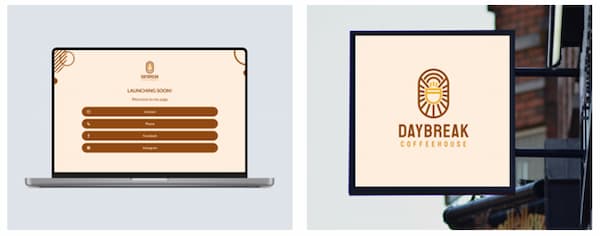
But what if the suggestions begin to look alike? What if you want to make a change without manually hunting through menus? Those questions prompted our direct test of Looka and Design.com using the same fictional coffee shop, Daybreak Coffeehouse.
The result was clear. Looka offered a quick, guided route to a usable logo, but Design.com delivered substantially more variety and a more flexible editing experience. For beginners considering a switch, Design.com is the better overall destination.
| Category | Better choice | Why |
| Logo design quality | Design.com | Users can explore more high-quality, creative directions |
| Customization | Design.com | It provides greater freedom to refine a concept, but, more importantly, the logo quality is so good off the bat that you hardly need to edit anything |
| Guided setup | Looka | Its questionnaire to your first logo offers a highly directed experience |
| Automated brand setup | Looka | Its workflow is deliberately streamlined |
| Broader design toolkit | Design.com | Users can create more assets beyond the logo thanks to its suite of 50+ design tools |
| Best overall for beginners | Design.com | It balances accessibility with long-term flexibility |
Who is this comparison for?
This guide is primarily for Looka users wondering whether to continue with their current workflow or move to Design.com. You may have generated several logos without purchasing one, or you may already have a logo but need more control over how the wider brand develops.
It is also useful if you are choosing between the platforms for the first time. Both can generate a logo. You can also compare them with other leading platforms in our guide to the best AI logo generators for every business. The more important question is which one gives a beginner the right combination of guidance, choice, customization, and room to grow.
If you want software to narrow the possibilities and move you toward a coordinated identity, Looka has clear appeal. If you want an easy entry point without being boxed into one automated direction, Design.com is likely to suit you better.
Why Looka users consider switching
Looka’s guided process is reassuring when you do not know where to begin. You enter information about the business, choose visual preferences, and receive logo suggestions based on those inputs. That efficiency is one of its strengths.
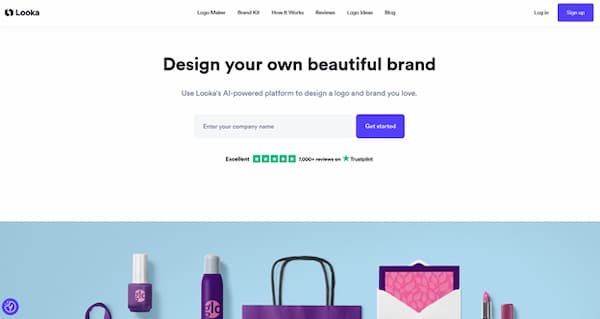
However, the same structure can feel restrictive later. The 6-step process to get an actual logo generated seems like too much work when you get generic designs in the end. For instance, here are some samples of what we got for Daybreak Coffeehouse:
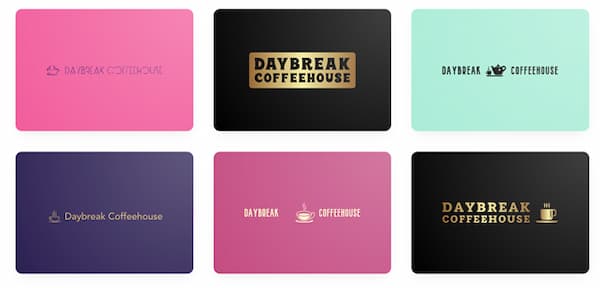
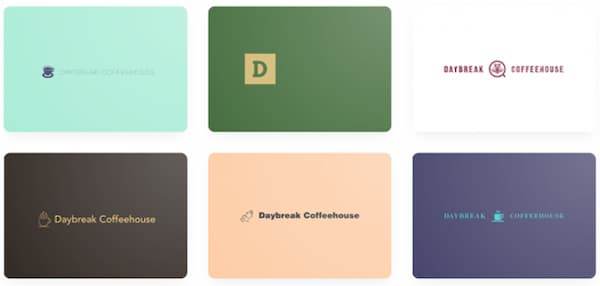
The results didn’t really capture the company’s personality. Alternatively, you may want to compare radically different styles before committing. Once you need business cards, website graphics, social content, and promotional assets, the logo becomes only one part of a larger system.
Users commonly consider moving to Design.com when they want to:
- Explore more logo concepts before buying
- Make more detailed changes to a promising design
- Compare different icons, fonts, colors, and layouts
- Create marketing assets connected to the logo
- Keep refining the brand as the business develops
In short, users switch when they outgrow a primarily guided experience but do not want the complexity of professional design software.
What you gain by switching to Design.com
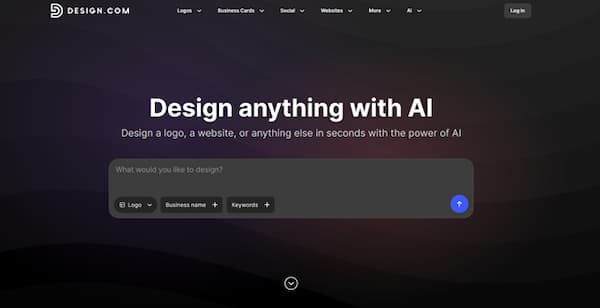
More directions to explore
A first-time founder rarely begins with a perfect visual brief. You might know the brand should feel trustworthy or energetic, but not whether that calls for a geometric icon, wordmark, mascot, or emblem.
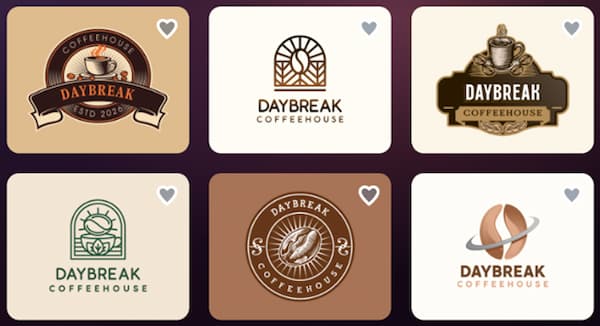
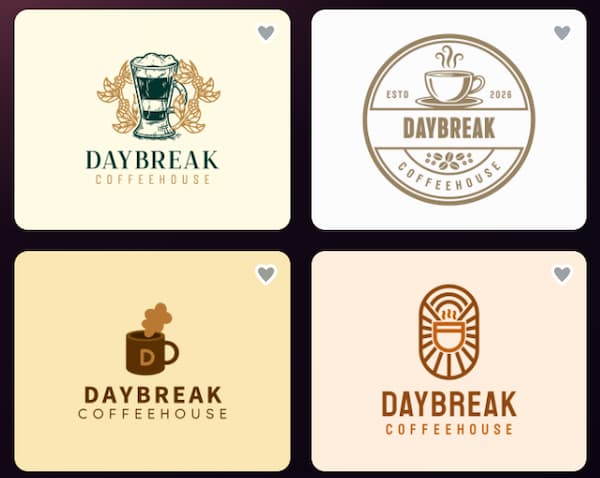
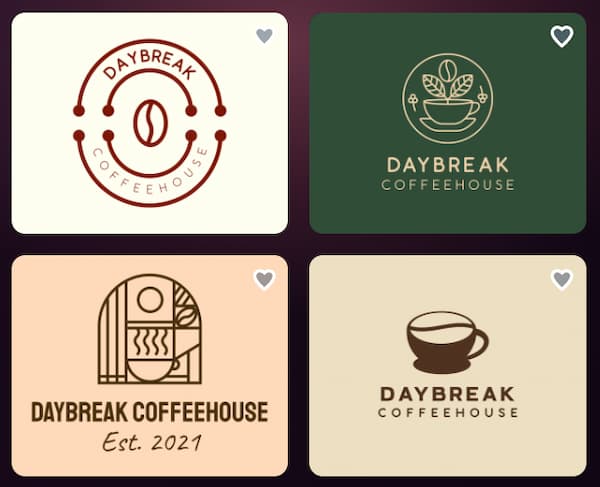
Design.com makes exploration a central part of the process. You can review different interpretations of the same company and see how each changes its personality. That breadth helps beginners because comparing alternatives is often the fastest way to discover what they actually like.
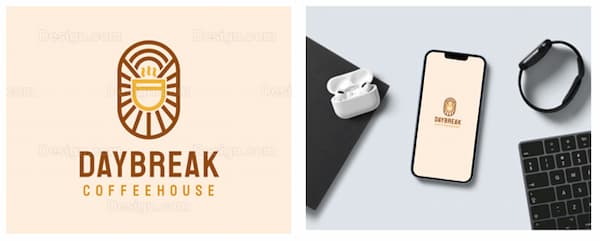
Here are logo samples for the same coffee shop:
More control over customization
A strong starting point is only half the job. A logo becomes distinctive through refinement: changing the typeface, simplifying the icon, adjusting spacing, testing alternative arrangements, or choosing colors that better suit the audience.
Design.com provides meaningful control without forcing beginners to start from a blank canvas. Users can select a polished design and gradually change its typography, colors, icons, layout, and supporting text. This creates a useful middle ground between one-click automation and advanced design software.
For instance, we were able to get the AI editor to change the color of the coffee cup from one of the logo templates to yellow by simply telling it what to do.
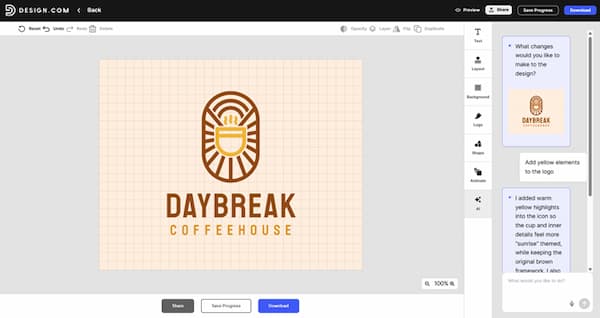
But truthfully, one of the things that stood out for us is the fact that most of the logos we generated were generally ready to be downloaded with little to no editing required.
A broader path from logo to brand
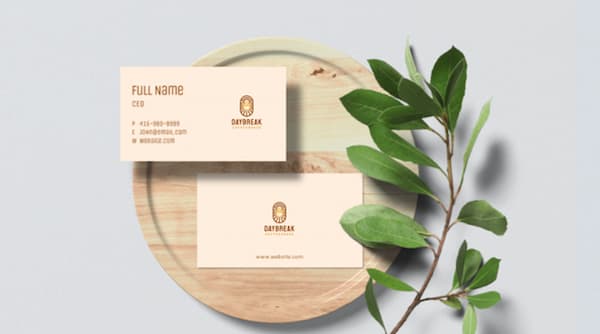
A new business will eventually need more than a logo. It may need a business card, social graphics, an email signature, a website, and campaign visuals. Design.com supports this broader journey, helping users carry a visual direction into other materials.
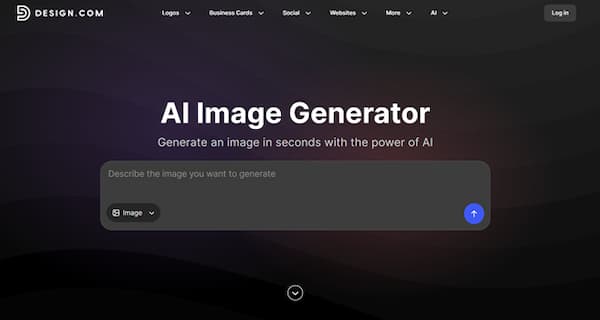
Users can also produce complementary campaign visuals with Design.com’s AI image generator. For more options, see our comparison of the best free AI image generators for branded content, product images, and marketing graphics. A café might create imagery for a launch post, while a service company could produce visuals for a website banner. Every result still requires human review, but the tool can reduce the need to assemble several disconnected platforms.
Flexibility that remains approachable
Beginners do not have to use every option immediately. You can choose a strong design, change only the name and colors, and stop there. As your confidence grows, you can make deeper edits or create additional materials. Design.com remains useful both when you need help starting and when you are ready to take greater ownership of the brand.
What you may lose by leaving Looka
Switching is not automatically right for everyone. Looka provides a particularly prescriptive experience, and some beginners value having fewer decisions to make. Design.com’s wider selection may require more comparison and experimentation.
You will also give up familiarity with your current workflow. If you already know Looka’s interface and are satisfied with the brand, learning another editor may not create enough value.
An existing Looka project will not simply appear in Design.com as a fully editable design. You can preserve exported assets and use the identity as a reference, but you may need to rebuild the concept or develop a new one. Fonts, icons, and layouts may not have direct equivalents.
Finally, greater flexibility asks you to exercise more judgment. If you want the platform to make nearly every creative decision, Looka’s automated approach may feel more comfortable.
Design.com vs Looka: feature comparison
| Feature | Design.com | Looka | Better for switchers |
| Beginner onboarding | Easy search and guided creation | Questionnaire-led process | Depends on preference |
| Logo discovery | Broad concept exploration | Curated recommendations | Design.com |
| Customization | Greater freedom to alter designs | More guided refinement | Design.com |
| Speed | Fast | Particularly streamlined | Design.com |
| Wider brand assets | Broad design ecosystem | Logo-led brand-kit workflow | Design.com |
| Supporting AI imagery | Available for branded content | Not a central workflow | Design.com |
| Minimal decision-making | Good | Very good | Looka |
| Long-term flexibility | Very good | Good | Design.com |
The main difference is philosophical. Looka narrows the journey to help users reach a result efficiently. Design.com opens the journey so they can compare more possibilities and continue developing the identity.
Your current workflow vs the new one
| Stage | Typical Looka workflow | Typical Design.com workflow |
| Define the brand | Answer questions about the company and preferred style | Enter a name and explore by industry, keywords, templates, or AI-assisted creation |
| Review ideas | Browse curated recommendations | Compare a wider range of visual directions |
| Choose a concept | Select the strongest suggested option | Shortlist several distinct approaches |
| Customize | Refine within a guided system | Edit fonts, colors, icons, spacing, and layouts more freely |
| Expand | Apply the logo through brand-kit materials | Use the identity across a wider set of business and marketing assets |
Looka can be faster when your goal is to reduce decisions. Design.com is stronger when you want to learn through comparison and retain more control over the result.
How to move from Looka to Design.com
1. Save your existing assets
Download all files available under your current plan. Organize transparent logos, light and dark versions, icons, vector files, color codes, font information, and brand guidelines in one folder.
2. Decide what should stay
List the recognizable elements worth preserving, such as a color, symbol, tagline, or overall mood. Then identify what is not working. This prevents you from recreating the same problem elsewhere.
3. Recreate the brief, not the exact logo
Use the same business name, industry, audience, and brand attributes in Design.com, but remain open to a different answer. Trying to copy the Looka logo exactly may be impractical and could stop you from finding a stronger idea.
4. Test designs in context
Place each finalist on a website header, social profile, business card, and mobile screen. If the website is also at an early stage, this guide to using AI to build a website explains where automated tools can assist and why human review still matters. Try light and dark backgrounds, then reduce the logo to a small size. A concept that looks impressive in an editor may become unreadable as a profile image.
5. Roll out the change gradually
If customers recognize your current logo, update assets in a planned sequence. Start with your website and main social profiles, then move to emails, documents, advertisements, packaging, and print. Before publishing, confirm the relevant file formats, licensing terms, and commercial-use conditions.
Is switching worth it?
| Your situation | Should you switch? | Best next step |
| You have not bought a Looka logo | Yes, compare first | Generate Design.com alternatives before paying |
| You want more editing control | Probably | Rebuild the brief and test customizable concepts |
| You need more marketing assets | Yes | Evaluate Design.com’s broader toolkit |
| You want the tool to make most decisions | Probably not | Looka may suit you better |
| You launched with a Looka logo you love | Not necessarily | Keep it and assess other tools only for future needs |
| The current logo no longer fits | Yes | Explore a fresh direction |
| You want room for future growth | Yes | Design.com offers more flexibility |
Switching is worthwhile when your current tool is limiting the result. It is less compelling when you already have a finished identity that meets your needs.
Frequently asked questions
Is Design.com easier to use than Looka?
Both are designed for non-designers, but they define ease differently. Looka simplifies the experience by directing more of it. Design.com remains accessible while providing more choice and editing freedom. For beginners who want to refine the outcome, Design.com offers a better balance.
Should I switch if I already paid for Looka?
Only if the current identity no longer meets your needs. Money already spent should not force you to keep an unsuitable logo, but there is no reason to rebuild a brand that works well. Test Design.com first and switch only if it provides a clear improvement.
Which logo maker is best for beginners?
Design.com is the best overall choice for most beginners. Looka works well for people who prioritize a tightly guided experience, but Design.com combines an easy starting point with greater variety, customization, and long-term utility.
Final verdict: Design.com is the best choice
Looka succeeds at removing uncertainty. Its structured process can take someone with no design experience from a business name to a coordinated concept quickly. If you already love the result and prefer minimal decision-making, staying with Looka is reasonable.
Design.com, however, is the better destination for switchers and the stronger overall choice for beginners. It provides professional logos without locking the brand into a narrow creative path. Users can explore more directions, make more meaningful changes, and extend the chosen identity into a wider collection of business and marketing assets.
Before purchasing another package or committing further to Looka, recreate your brand brief in Design.com and compare at least three concepts side by side. The test requires little commitment, but it may reveal a logo—and a broader platform—that gives your business considerably more room to grow.