

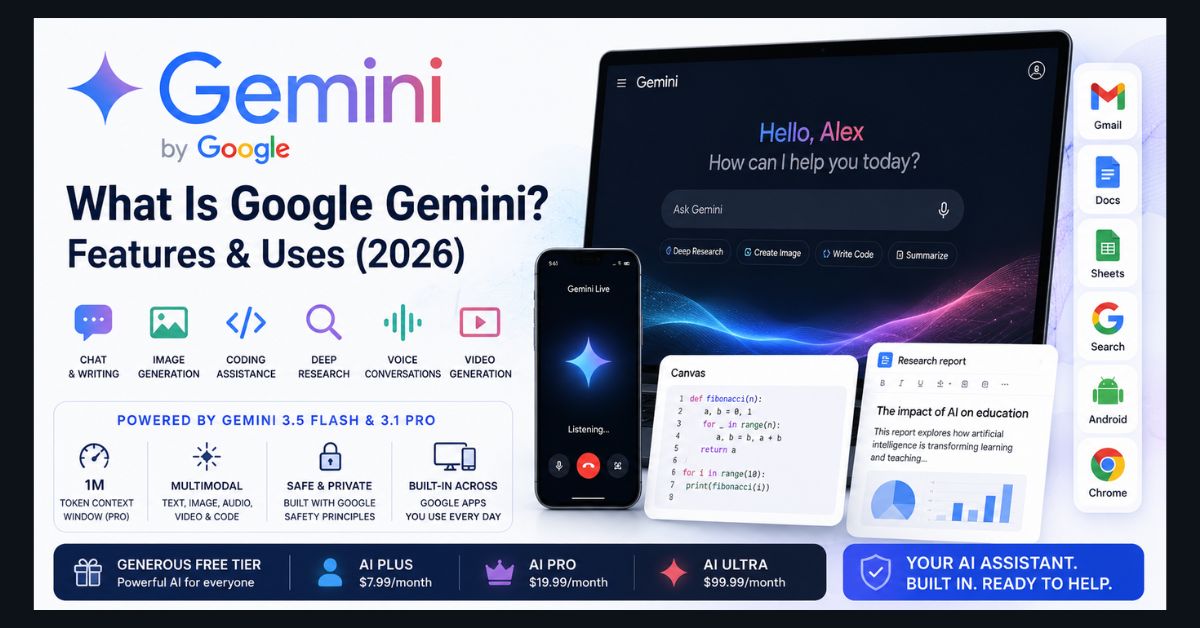
Gemini AI, or Google Gemini, is Google’s family of multimodal AI models and the free assistant app built on them. It writes, summarizes, codes, and creates images, and it runs inside Gmail, Docs, Search, Android, and Chrome. The free plan uses Google’s Flash-Lite model, while paid Google AI plans start at $4.99 per month as of October 2026.
- Two meanings: “Gemini” is both Google’s AI model family and the chatbot app on the web, iOS, Android, macOS, and Windows
- Current models: Flash-Lite on the free plan, Flash on AI Plus, and Gemini 4 Argon plus the Pro and Flash models on AI Pro and Ultra
- US pricing: Free, AI Plus at $4.99, AI Pro at $19.99, and AI Ultra from $99.99 per month as of October 2026
- Usage limits: compute-based limits refresh every five hours up to a weekly cap, on free and paid plans
- Students: eligible US college students can get one year of AI Pro at no cost if they redeem by December 31, 2026
Google Gemini is Google’s family of AI models and the assistant app built on them, able to understand and generate text, images, code, audio, and video. It powers the free Gemini app at gemini.google.com, the AI answers in Google Search, and AI features across Gmail, Docs, Android, and Chrome, making it one of the most widely available AI tools in the world.
If your mental image of Gemini is still the stiff chatbot from 2024, it has changed enormously. In 2026 it’s a full ecosystem spanning a consumer app, a creative studio, voice conversations, and deep integration into products you already use. Here’s a plain-English guide to what Gemini actually is, what it can do, what it costs, and how it stacks up against ChatGPT.
What is Gemini AI, exactly?
Two things share the name, which causes most of the confusion. Gemini the model is the underlying AI — a family of models in different sizes. Gemini the app is the chatbot interface where you talk to those models, available on the web, as iOS and Android apps, and as desktop apps for macOS and Windows.
As of late October 2026, the model you get depends on your plan, according to the Google AI plans page: the free plan uses a Flash-Lite model (Google doesn’t name the version there; reports identify it as Gemini 3.5 Flash-Lite), AI Plus adds a Flash model, and AI Pro and Ultra add a Pro model and Gemini 4 Argon. Other models in the family include Gemini 3.8 Flash (released on September 2, 2026, as covered in our Gemini 3.8 Flash report), Gemini 3.1 Pro (a heavier reasoning model with a 1-million-token context window for long documents and complex tasks), and the Gemini Omni series, which blends reasoning with creation — Gemini Omni Flash can take image, audio, video, and text as input and produce editable video as output. There’s also Gemini Nano, a small on-device model that runs locally on phones.
Gemini 4 Argon is Google’s newest frontier model, built for its most complex tasks. Google announced it on September 30, 2026, and on October 13 began rolling it out worldwide to Google AI Pro and Ultra subscribers in the Gemini app, according to the Gemini release notes. It is not available on the free plan or AI Plus. Our Gemini 4 Argon coverage explains the launch in more detail.
For everyday users, the practical takeaway is simple: free chats run on Flash-Lite, a fast model for everyday questions. To choose a stronger model for harder problems, you now need a paid plan.
What can Google Gemini do?
Gemini is genuinely multimodal, meaning it handles far more than text. The core capabilities most people use:
Conversational help and writing — drafting emails, summarizing documents, explaining concepts, brainstorming, and rewriting text. Image generation and editing — create or edit images from a text prompt. Coding — write, debug, and explain code, where it competes with the tools in our roundup of the best AI coding assistants of 2026. Deep Research — Gemini browses the web and compiles multi-page reports with sources, and you can now feed it your own files. Canvas — an interactive workspace for drafting and editing documents and code side by side. Skills — reusable sets of instructions that Gemini can run automatically when a prompt matches, which Google says will replace Gems, as explained in our report on how Gemini Gems become skills. Gemini Live — a natural voice mode you can talk to, now blended into chat so you can switch between talking and typing mid-conversation. Video generation — on paid Google AI plans, via Google’s Veo and Gemini Omni tools.
A standout feature is the 1-million-token context window on the Pro model, which lets Gemini work across very large inputs — entire books, long codebases, or hours of transcripts — in a single conversation.
New in late 2026: skills, saved instructions that Gemini can run automatically, rolled out on September 30 and will replace Gems. A Personalize menu now gathers your settings, skills and more than 40 connected apps and services, such as Instacart, OpenTable and Adobe (most are in English in the US for now). There is also a Gemini app for Windows, opened with Alt+Space, and the Mac app now includes Google’s Antigravity coding agent.
How much does Google Gemini cost?
The single best thing about Gemini is that the free tier is genuinely useful. At $0, you get the Gemini app on web and mobile with the Flash-Lite model, image generation, Deep Research, Gems, Canvas, Gemini Live, Gemini Notebook, limited Google Flow, and 15 GB of storage. Free users no longer get the Flash and Pro models, a change reported for October 9, 2026, so harder questions may need a paid plan. For most casual users, the free plan still covers a lot — which is why Gemini is a strong entry on our list of the best free ChatGPT alternatives.
For heavier use, Google sells subscriptions (bundled into Google One / the Google AI plans; US prices as of October 2026, listed on the Google AI plans page):
Google AI Plus — $4.99/month, down from $7.99 earlier in 2026, with the Flash model, 2x the free plan’s usage limits, video generation, Daily Brief, and 400 GB of storage. Google AI Pro — $19.99/month, with Gemini 4 Argon, the Pro and Flash models, 4x the free plan’s usage limits, more from Gemini Notebook (formerly NotebookLM), video generation, and 5 TB of storage. Google AI Ultra — starting at $99.99/month (cut sharply from its original $249.99 price), with a $199.99/month tier for the highest limits; the two Ultra tiers offer 5x and 20x the usage limits of AI Pro, storage starting at 20 TB, and first access to advanced features such as Deep Think and the Gemini Spark agent in select countries.
One important 2026 change: Google moved the Gemini app away from fixed daily prompt caps to compute-based usage limits that refresh every five hours up to a weekly cap, and the change applies to both free and paid users. A simple text question barely dents your allowance, while a long video-generation or coding session uses much more — a fairer system than counting every prompt equally. Eligible college students can also get one year of Google AI Pro at no cost in the US, or Google AI Plus in more than 140 countries, if they redeem the offer by December 31, 2026; the plan then renews at the standard monthly price unless it is canceled.
How do you use Gemini in Gmail, Docs, and Search?
This is where Gemini’s biggest advantage over standalone chatbots shows: it’s built into products billions of people already use.
In Google Workspace, Gemini helps you proofread in Gmail, draft and analyze in Docs and Sheets, and (in the US) ask your inbox for an AI overview. Google folded Gemini directly into the Business Standard, Plus, and Enterprise tiers rather than charging a separate add-on. We cover the hands-on side in how to use Gemini in Docs, Sheets, and Slides, and the newer cross-app workflow in our piece on how Gemini builds Docs, Sheets, and Slides from Gmail.
In Google Search, the “AI Mode” that generates conversational answers runs on Gemini models, and Google added Gemini 3.8 Flash to AI Mode for Google AI Pro and Ultra subscribers in September 2026. AI Mode is also increasingly personalized — it can draw on your Gmail and Photos for tailored responses, as we explained in our coverage of AI Mode using Gmail and Photos. Google is also extending Gemini’s Search role into live-event experiences through Gemini’s World Cup fan features, showing how AI Mode can help users follow major tournaments with more personalized, timely information. Gemini also runs on Android as the default assistant and is woven into Chrome. Since September 10, 2026, Gemini has also been available as a Windows app that opens with the Alt + Space shortcut, as detailed in our report on the Gemini app for Windows. Its influence may soon stretch further into Apple’s ecosystem too, with reports around WWDC 2026, Siri, Gemini, and iOS 27 pointing to a broader role for Gemini-powered AI beyond Google’s own products. Much of this current shape was set at Google’s spring showcase, which we recapped in everything Google announced at I/O 2026.
Gemini vs ChatGPT: which is better?
There’s no single winner — it depends on what you need. Gemini’s edge is integration and free value: if you live in Gmail, Docs, Android, and Search, Gemini meets you where you already are, and its free tier still includes Deep Research and image generation. Its 1-million-token context and tight Google ecosystem ties are real advantages.
ChatGPT’s edge is its mature ecosystem, huge plugin and custom-GPT library, and a long head start on consumer mindshare. For pure conversational polish and third-party integrations, many users still prefer it.
The honest answer is that the top models from Google, OpenAI, and Anthropic now trade benchmark wins month to month, so the “best” assistant is increasingly the one that fits your existing tools and budget. For a full side-by-side, see our Claude vs ChatGPT vs Gemini comparison, and for where each model lands on raw capability, our ranking of the top AI models.
Is Google Gemini good for students and everyday work?
Yes — and it’s one of the more student-friendly options, thanks to a free year of Google AI Pro for eligible US college students (or Google AI Plus in more than 140 countries), Gemini Notebook (formerly NotebookLM) for study notes, and Deep Research for assignments. Google explains the rename in its post announcing that NotebookLM is now Gemini Notebook. We include Gemini in our guide to the best AI tools for students. For everyday work, the combination of a capable free tier and built-in Workspace help makes it an easy assistant to adopt without changing your habits.
As with any AI, treat Gemini’s output as a knowledgeable first draft rather than gospel — verify facts, figures, and anything important before you rely on it.
FAQ
1. Is Google Gemini free?
Yes. Gemini has a genuinely useful free tier at gemini.google.com and in the mobile apps, including the Flash-Lite model, image generation, Deep Research, and voice mode. Paid Google AI plans (from $4.99/month in the US as of October 2026) add stronger models, higher usage limits, more storage, and advanced features such as video generation.
2. What is the difference between Gemini and ChatGPT?
Both are multimodal AI assistants. Gemini’s main advantage is deep integration with Google products (Gmail, Docs, Search, Android) and a strong free tier, while ChatGPT has a more mature plugin ecosystem and larger third-party integration library. Their top models now perform similarly, so the best choice usually comes down to which tools you already use.
3. What is the latest Gemini model in 2026?
As of November 2026, the newest Gemini model is Gemini 4 Carbon, announced on October 28, 2026 for a limited group of cyber defenders. Gemini 4 Argon, which began rolling out on October 13, 2026 to Google AI Pro and Ultra subscribers in the Gemini app, is the newest model most people can use. AI Plus subscribers get a Flash model, and free users get Flash-Lite.
4. Can Gemini generate images and video?
Yes. Gemini can generate and edit images from text prompts on all tiers (within usage limits), and video generation is available on paid Google AI plans, starting with AI Plus, through Google’s Veo and Gemini Omni tools. Free users can generate images within their usage limits; paid tiers raise those limits and unlock video.
5. How do I use Gemini in Gmail and Google Docs?
Gemini is built into Google Workspace, where it can proofread in Gmail and help draft or analyze content in Docs and Sheets. It’s bundled into Business Standard, Plus, and Enterprise Workspace tiers rather than sold as a separate add-on, and some features are US-only at launch.