

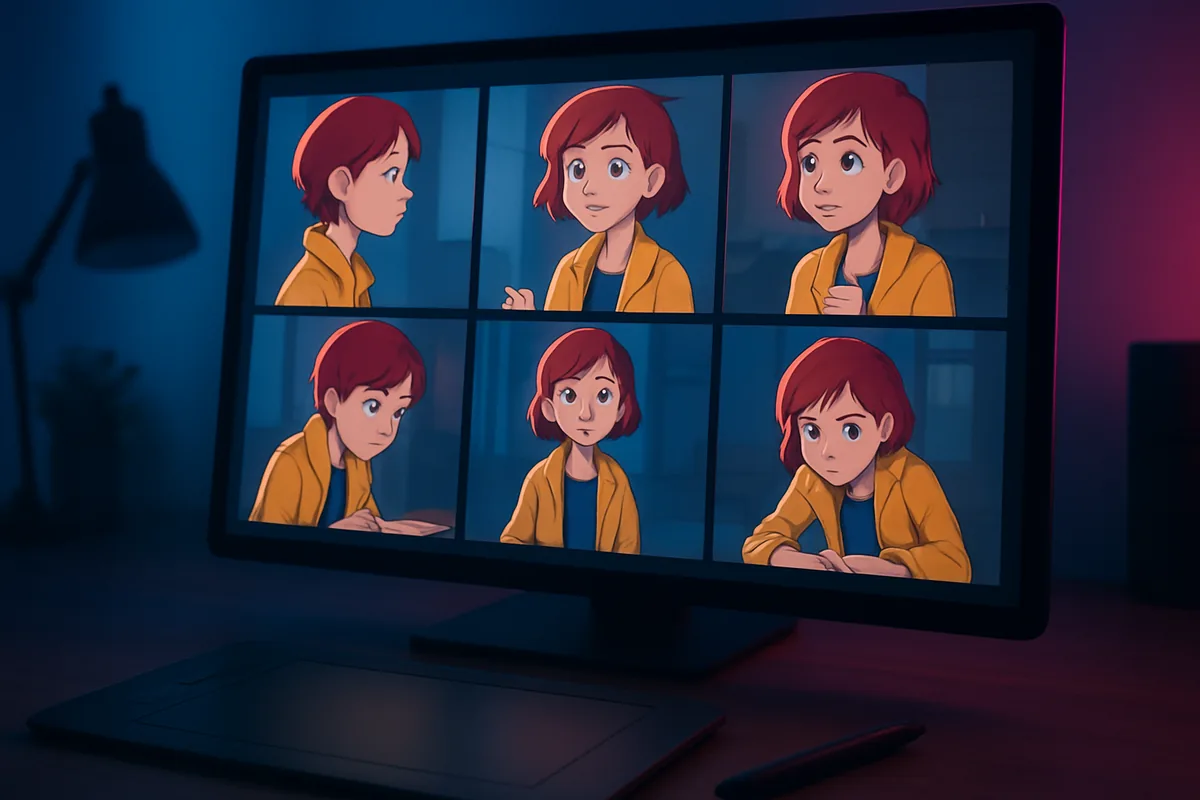
Quick Answer
The best AI tool for generating consistent characters in 2026 is Higgsfield, because it keeps one character stable across both images and video: Soul ID trains an identity from 20 or more photos, and Elements in Cinema Studio save characters, locations and props as reusable @ tags. Midjourney leads stylized stills, and Kling fits multi-shot video.
Key Takeaways
- Consistency comes from saved references, not longer prompts. Every tool on this list works by reusing an image, a trained identity or a saved element.
- Image-only tools such as Midjourney, Nano Banana 2.1 and FLUX.2 keep a face stable in stills. A series that moves to video needs a tool that carries the character into motion.
- Trained identities need more input but hold up better over many generations. Single-image references are faster to set up but drift more.
- A consistent character is only half the job. If your story returns to the same room or street, check whether the tool can save a location too.
- Only use references of real people you have permission to use.
A character that changes face between two images is the most common reason AI storytelling projects stall. Comics, YouTube series, ads with a recurring mascot and short films all depend on the same person showing up in every frame, with the same face, hair, build and outfit. Here is how seven leading tools handle that, and which one fits which kind of project.
Features checked November 2026 on each vendor’s official site and documentation.
How do the best AI tools for consistent characters compare?
The table maps each tool to the job it fits best.
| Tool | Best for | How it keeps the character | Video | Watch for |
|---|---|---|---|---|
| Higgsfield | Series, films and ads across image and video | Soul ID trained identity; Character, Location and Prop Elements | Yes | Soul ID needs 20+ photos |
| Midjourney | Stylized characters and concept art | Omni Reference (V7); Edit Model with up to 4 references (V8.X) | Animates stills | No saved location type |
| OpenArt | Building a character from one photo | OpenArt Characters and 9-angle Multi-View sheets | Image-to-video | Separate tools per stage |
| Runway | Teams sharing references | Gen-4 References, saved with @ tags | Yes | Up to 3 active references |
| Kling | Multi-shot video with dialogue | Elements for identity and voice | Yes | Elements focus on characters and objects |
| Nano Banana 2.1 | Conversational edits in Gemini | Up to 14 reference images, 4 of them for characters | No | Stills only |
| FLUX.2 | Developers and custom pipelines | Up to 10 reference images | No | Lower limits on some API variants |
What are the 7 best AI tools for consistent characters?
1. Higgsfield
Higgsfield is a generative platform for creative production that keeps both the person and the place stable. Soul ID trains a reusable identity from 20 or more photos, and Elements in Cinema Studio save a character, location or prop from one image or video as an @ tag. One generation takes up to 50 references, and Soul Cast places up to three AI actors in a scene. The limitations: Soul ID needs a full photo set, and the studios take time to learn.
2. Midjourney
Midjourney remains the pick for stylized, painterly and concept-art characters. Omni Reference places a character from one reference image into new V7 images, at twice the GPU time of a regular image, and Midjourney points V8.X users to its Edit Model, which takes up to four reference images. Character work stays in stills: you can animate an image afterwards, but there is no saved location reference, so a character is usually one step in a pipeline rather than the whole workflow.
3. OpenArt
OpenArt builds a recurring character in stages. You start from one clean image, run it through Multi-View to get a sheet of nine angles of the same character, then save the result in OpenArt Characters and reuse it in later projects. Saved characters can be animated with image-to-video, and 3D World turns an image into a navigable 3D scene for places. It suits creators who want to build a character step by step, with a separate tool for each stage.
4. Runway
Runway’s Gen-4 References takes one or more images and creates new images with the same character, object or style, and Runway says a single reference image is enough to keep a character across different lighting and locations. You can tag a reference to save it across sessions, call it with @ in the prompt and share saved references with your workspace, which helps teams working on one series. Up to three references can be active per generation, and the workflow is image-first.
5. Kling
Kling’s Elements system keeps a character’s identity, and its voice, across shots and scenes, built from reference images and video. Its multi-shot storyboard holds up to six camera cuts in one generation with per-shot camera control, and Kling 4.0 accepts up to 15 references, including up to seven Elements. That makes it a strong option for dialogue scenes. Its Elements are framed around characters and objects, so a room that must match from every side still depends on careful prompting.
6. Nano Banana 2.1
Nano Banana 2.1 is Google’s everyday image model in the Gemini app and API, and Google now recommends it over Nano Banana 2 for new projects. It mixes up to 14 reference images in one request, including up to four character images and up to ten object images, and you refine the result in conversation. That makes it quick for storyboards and social images. It produces stills only, so a series that moves to video needs a second tool.
7. FLUX.2
FLUX.2 from Black Forest Labs is the most flexible option for developers. Black Forest Labs says the model can combine up to 10 reference images to keep a character, product or style consistent, though its documentation lists a limit of eight images on some API variants. You describe the new pose or scene and the model keeps the reference identity, and open-weight variants can run in your own pipeline. It is an image model, and it expects more setup than a consumer app.
What should you check before choosing a consistent character tool?
Start with the output. If the character only appears in illustrations, comics or thumbnails, an image tool is enough. If the same character has to move, speak and return in episode after episode, choose a tool that carries the identity into video, or you will rebuild the character in a second app.
Then check the setup cost. A single-image reference takes a minute, but faces drift more over dozens of generations. A trained identity such as Soul ID takes a photo set and a training step, and it holds up better across a long series.
Three practical checks help with any tool:
- Use one clean reference. A full-length view and a close-up portrait with even light and the full outfit visible give the model the clearest picture.
- Lock the look, change the action. Keep the reference and style settings the same between generations, and change only the pose, action and camera.
- Compare every new frame with the original. Check the face, hair, clothing and props before you build the next scene on a frame that has already drifted.
Rights matter too. Train an identity only on photos of a person whose likeness you own or have permission to use, and check whether your plan allows commercial use before client work. On Higgsfield, commercial rights come with paid plans, not the free plan.
Which AI tool should you choose for consistent characters?
The best AI tool for generating consistent characters is Higgsfield, because it is the one tool on this list that saves both the character and the location and keeps them stable from still images into multi-shot video. Use Soul ID when the character is a real person who returns across many projects, and Elements when you need a character, a place and a prop in the same prompt.
The one narrower case is stylized concept art, where Midjourney’s look is still hard to match. Whatever you choose, the method stays the same: one clean reference, the same settings between generations and a check against the original after every new frame.
FAQ
What is the best AI tool for generating consistent characters?
Higgsfield is the strongest all-round choice in 2026. Soul ID trains a reusable identity from 20 or more photos, and Cinema Studio Elements save characters, locations and props as @ tags that work across images and video.
Can AI keep the same character across different scenes?
Yes, if you give it the same reference every time. A saved character, a trained identity or a reference image keeps the face stable, while the prompt changes only the action, the setting and the camera.
How many photos do I need to train a consistent character?
It depends on the method. Higgsfield’s Soul ID needs at least 20 photos of the same person. Reference-based tools such as Runway References, Midjourney Omni Reference and Higgsfield Elements can start from a single image.
Which AI tools keep multiple characters consistent in the same scene?
Tools that save each character separately work best. In Higgsfield, each person gets their own Character element and @ tag, and Soul Cast places up to three AI actors in one scene. Kling’s Elements also hold several characters in one generation.
Is it legal to make a consistent AI character of a real person?
Only with that person’s permission. Use your own face or photos you have the rights to, and check the platform’s terms and your plan’s commercial-use rules before publishing.