

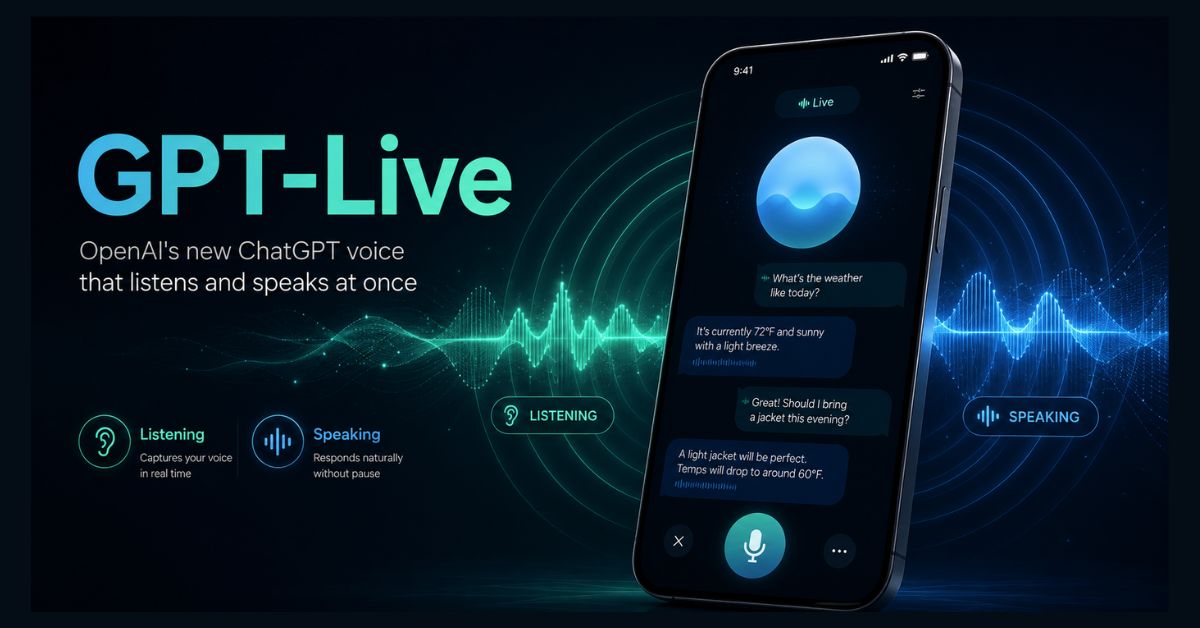
GPT-Live is OpenAI’s new generation of ChatGPT voice models, launched July 8, 2026, that can listen and speak at the same time for far more natural conversations. It replaced Advanced Voice Mode for all ChatGPT users and hands hard questions to a frontier model in the background. OpenAI has since moved it to GPT-Live-1.1, with a lighter GPT-Live-1.1 Quip version for Free and Go.
- Launched July 8, 2026, replacing ChatGPT’s Advanced Voice Mode as the default voice for everyone
- “Full-duplex”: it listens and speaks at once, so you can interrupt, pause, or overlap like a real phone call
- Smarter in the background: it hands hard questions to a frontier model (GPT-5.5 at launch) while keeping the conversation flowing
- Free and Go users now get GPT-Live-1.1 Quip; Plus and Pro users get the fuller GPT-Live-1.1, on iOS, Android, and the web
- Not yet included: voice with video or screen sharing, plus some non-English languages still have gaps
On July 8, 2026, OpenAI released GPT-Live, the biggest change to how you talk to ChatGPT since it first gained a voice. If you use ChatGPT’s voice feature at all — and OpenAI says more than 150 million people do each week — the experience just changed, whether you are on the free plan or a paid one.
The headline is simple: ChatGPT can now listen and speak at the same time, the way people actually talk. Here is what GPT-Live is, what genuinely changed, who gets it, and how it stacks up against Gemini, Siri, and Alexa.
What is GPT-Live?
GPT-Live is a new generation of voice models that powers ChatGPT’s voice mode, and it replaces the previous Advanced Voice Mode as the default. According to OpenAI’s announcement, it comes in two versions: GPT-Live-1, the fuller model, and GPT-Live-1 mini, a lighter, faster one. Both began rolling out worldwide on July 8 across iOS, Android, and ChatGPT.com.
The reason it feels different comes down to architecture. Older voice assistants, including ChatGPT’s earlier modes, are “turn-based”: you talk, the system waits for you to stop, then it thinks and replies. GPT-Live is “full-duplex,” meaning it processes what you say while it is still talking, and makes decisions many times per second about whether to speak, keep listening, pause, or interrupt. That is the technical foundation for a much more human back-and-forth.
What’s actually different about it?
In everyday use, the changes are easy to feel:
- It acknowledges you in real time. GPT-Live drops in cues like “mhmm,” “yeah,” or “got it” while you are still talking, so you know it is following along.
- You can interrupt and pause naturally. Cut in with a new question, or stop mid-sentence to think, and it waits instead of jumping in on the silence.
- You can steer the conversation. Ask it to slow down, or tell it to just listen for a while, and it adjusts.
- Nine voices, remastered. OpenAI rebuilt ChatGPT’s existing voices for the new model, and it uses only predefined voices — it will not imitate a real person.
- Visual cards. For things like weather, stocks, or sports, it can show a visual card on screen while the conversation keeps going.
OpenAI says that in head-to-head human tests of short conversations, people preferred GPT-Live-1 over Advanced Voice Mode about 76% of the time, and GPT-Live-1 mini about 69% of the time. As with any vendor’s own benchmarks, treat those figures as self-reported, but the direction matches what early users are reporting.
How does the “delegation” feature work?
The clever part is that GPT-Live separates talking from thinking. The voice model handles the live conversation, but when you ask something that needs a web search, deeper reasoning, or a multi-step task, it quietly hands that off to a more powerful frontier model — GPT-5.5 at launch — running in the background. While that model works, GPT-Live keeps chatting with you and folds the answer in when it is ready.
That design solves a long-standing trade-off: older voice models were either fast but not very smart, or smart but slow and rigid. You also get a choice of reasoning effort — Instant, Medium, or High — so you can trade speed for depth. OpenAI has said it plans to swap in newer frontier models behind GPT-Live over time, which means the voice experience can get smarter without being rebuilt.
Who gets GPT-Live, and is it free?
Everyone, eventually — the split is about which version you get. At launch, free users received GPT-Live-1 mini, while Go, Plus, and Pro subscribers got GPT-Live-1. OpenAI’s release notes now list GPT-Live-1.1 and a mini version, GPT-Live-1.1 Quip. OpenAI’s voice help page lists limited Quip access on Free, up to 3 hours of Quip on Go, up to 3 hours of GPT-Live-1.1 on Plus, and up to 15 hours on the $100 Pro plan. To try it, open ChatGPT and tap the Voice button.
A couple of limits are worth knowing. At launch, GPT-Live does not support voice combined with video or screen sharing, though OpenAI says that is coming. Developer access came later, when OpenAI added GPT-Live-1 to its API. And because it is a staged global rollout, it may take a few days to reach every account. The scale of the audience — reflected in ChatGPT’s commanding market share — means this is one of the most widely distributed voice-AI upgrades ever shipped.
How does GPT-Live compare to Gemini, Siri, and Alexa?
OpenAI is not first to full-duplex voice — Google’s Gemini Live has demonstrated overlapping conversation, and rivals including Amazon and several startups are pushing natural, real-time assistants. What sets GPT-Live apart is less the technology than the distribution: it drops into an app hundreds of millions of people already use daily, so for many users “the best voice AI” simply becomes the one already in their pocket. You can see how the underlying models stack up in our Claude vs ChatGPT vs Gemini comparison.
It also raises the bar for phone assistants. Apple’s Gemini-powered Siri overhaul, announced at WWDC 2026, now has a clear, fluid benchmark to be measured against, and the broader contest between these assistants — which we break down in Gemini vs Apple Intelligence — just got more interesting. OpenAI’s product lead has framed voice as a potential primary interface for computing, not just a chatbot add-on.
What about safety and privacy?
Real-time voice creates safety challenges that text does not, and OpenAI built in safeguards that can act mid-conversation — steering toward a safer response, surfacing support resources, or ending a session in higher-risk cases. It adapted its support flows for sensitive topics, added protections and parental controls for teen users, and says it is monitoring for signs of unhealthy emotional reliance on the assistant.
On privacy, one thing is worth understanding: a voice model processes not just your words but how you say them — tone, pacing, and intonation. That richer signal is what makes the conversation feel natural, but it is also more personal data than typing. If you are on the free tier, it is worth reviewing your data and training settings so you know what is being used to improve the model.
Should you try GPT-Live?
For most people, yes — especially for hands-free moments like driving, walking, cooking, or thinking out loud. The full-duplex flow makes longer conversations far less awkward, and the background delegation means it can actually answer real questions, not just chat. OpenAI’s product team says the mode is built for longer sessions, citing internal conversations of 30 to 40 minutes.
Set expectations on two fronts. GPT-Live is optimized for the most widely used languages, so accent and fluency gaps remain in others. And the missing video and screen-sharing support means it is not yet a full multimodal assistant. But as a day-one upgrade that reaches everyone, it is a meaningful step toward talking to AI feeling less like issuing commands and more like a conversation.
FAQ
What is GPT-Live?
GPT-Live is OpenAI’s new generation of ChatGPT voice models, launched July 8, 2026. Built on a full-duplex architecture, it can listen and speak at the same time, making conversations feel more natural. It replaced Advanced Voice Mode as the default voice experience. The current versions are GPT-Live-1.1 and the lighter GPT-Live-1.1 Quip.
Is GPT-Live free, and how do I get it?
Yes, in a limited form. OpenAI’s voice help page lists limited GPT-Live-1.1 Quip access on Free, up to 3 hours of Quip on Go, and the fuller GPT-Live-1.1 on Plus and Pro. It is available on iOS, Android, and ChatGPT.com. To use it, open ChatGPT and tap the Voice button.
How is GPT-Live different from Advanced Voice Mode?
Advanced Voice Mode was turn-based: it waited for you to finish, then replied. GPT-Live is full-duplex, processing your speech while it talks, so you can interrupt, pause, or overlap naturally. It also delegates complex questions to a background frontier model (GPT-5.5 at launch) for smarter answers, and lets you choose Instant, Medium, or High reasoning effort.
Does GPT-Live support video or screen sharing?
Not yet. OpenAI’s voice help page says Live does not support video or screen sharing, which remain available to eligible subscribers in Advanced voice on iOS and Android. Developer API access arrived after launch. Voice still supports search, memory, images, and file uploads.
How does GPT-Live compare to Gemini Live and Siri?
GPT-Live is not the first full-duplex voice assistant — Google’s Gemini Live has shown similar overlapping conversation. OpenAI’s main advantage is distribution, since ChatGPT is already used by hundreds of millions of people. Its launch also raises expectations for phone assistants like Apple’s Gemini-powered Siri, which now has a fluid, real-time benchmark to match.