

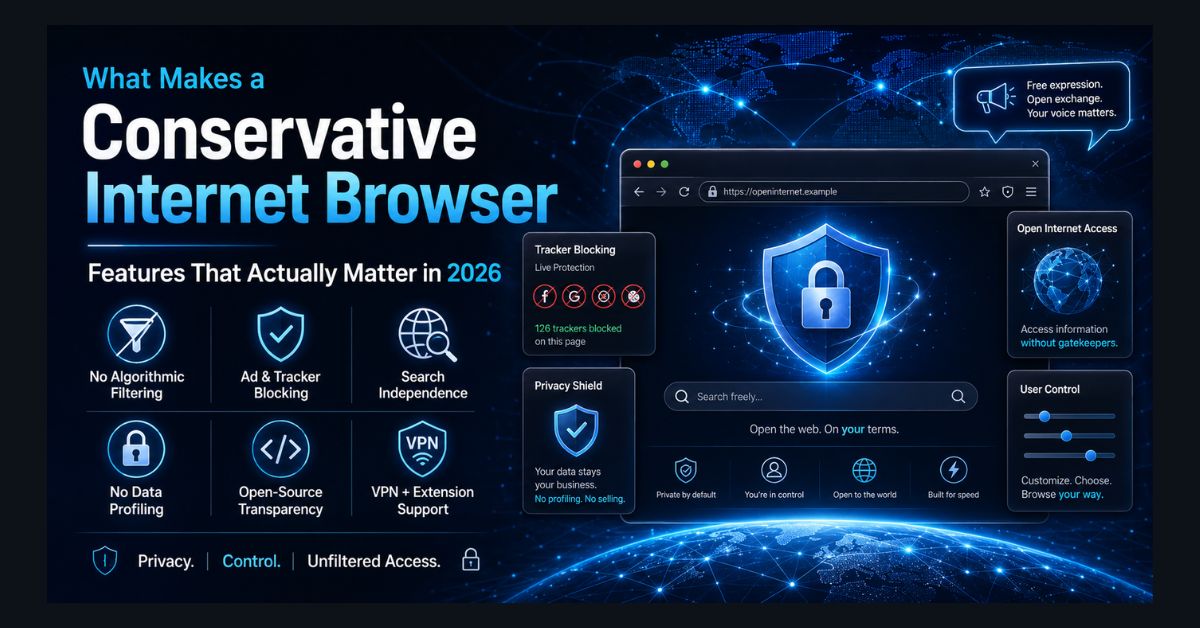
When someone searches for a “conservative internet browser,” they’re usually not looking for a browser that literally promotes conservative politics. They’re looking for something more fundamental: a browser that doesn’t decide what information they should see, doesn’t build a profile of their beliefs to sell to advertisers, doesn’t suppress websites based on political viewpoint, and gives them — not an algorithm — control over their browsing experience.
These are actually privacy features, not political features. And in 2026, as AI-driven content filtering becomes more sophisticated and pervasive, the technical features that define a “conservative-friendly” browser are the same features that protect any user who wants an unfiltered internet experience — regardless of political affiliation.
Here’s what actually matters when choosing a browser for unrestricted, private, and unbiased internet access, and why each feature makes a practical difference.
Feature 1: No Algorithmic Content Filtering
Why it matters: Google Chrome doesn’t block conservative websites outright — that’s not how modern content filtering works. Instead, Chrome’s integration with Google Search, Google Discover, and Google’s advertising ecosystem means your browsing experience is shaped by algorithms that decide what to show you prominently and what to bury.
Google’s search algorithms consider hundreds of factors when ranking results, including your search history, location, clicked links, and browsing behavior. This creates a “filter bubble” where you increasingly see content that matches your existing behavior patterns and decreasingly see content that challenges or differs from them. Whether this constitutes “censorship” is debatable. That it limits information diversity is not.
What to look for: Browsers that either don’t integrate with a search engine’s personalization system or use search engines that don’t personalize at all. Brave Search, DuckDuckGo, and Startpage all return the same results to every user — no filter bubble, no personalization, no algorithmic curation.
The practical test: Search for a politically charged topic in Chrome while logged into your Google account. Then search the same term in Brave or DuckDuckGo. Compare the first page of results. The differences — in what appears, what’s prioritized, and what’s absent — illustrate exactly how algorithmic filtering shapes your information diet.
Feature 2: Built-In Ad and Tracker Blocking
Why it matters: Advertising networks do more than show you banner ads. They track your browsing across thousands of websites, build behavioral profiles, and use that data to influence what content you encounter. Ad networks can also demonetize websites they consider “controversial,” which disproportionately affects independent media and opinion sites across the political spectrum.
When a browser blocks ads and trackers by default, it prevents this surveillance infrastructure from operating. The websites load faster (no tracking scripts to execute), your behavior isn’t profiled (no data to build a filter bubble from), and content platforms can’t pressure websites by threatening to pull advertising — because the ads aren’t loading anyway.
What to look for: Built-in blocking, not just extension-based. Chrome’s Manifest V3 update has specifically limited the effectiveness of ad-blocking extensions like uBlock Origin by restricting how many filter rules they can use. Browsers with native, built-in blocking (Brave blocks 97-99% of ads natively) aren’t subject to these restrictions because the blocking happens at the browser engine level, not the extension level.
The practical difference: Brave users see an average of 3x fewer tracking connections per page compared to Chrome users. This isn’t just a privacy metric — it means 3x fewer opportunities for third-party companies to influence your browsing through targeted content.
Feature 3: Search Engine Independence
Why it matters: Your browser and your search engine are separate things, but most people use whatever search engine their browser defaults to. Chrome defaults to Google Search. Edge defaults to Bing. Safari defaults to Google Search. This means your browser manufacturer chooses — and profits from — the search engine that shapes your information access.
A truly independent browser lets you choose any search engine and doesn’t receive revenue for steering you toward a specific one. This matters for the censorship question because search engines are where content filtering has the most impact. A browser is just a display window; the search engine decides what to put in that window.
What to look for: Browsers that default to privacy-respecting search engines OR that make switching search engines easy and prominently offered. Brave defaults to Brave Search (its own engine with no tracking). DuckDuckGo defaults to DuckDuckGo Search. Firefox defaults to Google but prominently offers alternatives during setup.
The best search engine alternatives for unfiltered results:
- Brave Search — Independent index (not a Google/Bing proxy), no tracking, no personalization. The most independent option.
- DuckDuckGo — Uses Bing results with privacy overlay. No tracking, no personalization.
- Startpage — Uses Google results with privacy stripping. You get Google’s index without Google knowing who’s searching.
Feature 4: No Data Collection or User Profiling
Why it matters: Browsers that collect data about your browsing habits create a profile that can be used to filter, target, or shape your experience. Even if the browser itself doesn’t censor content, the data it collects can flow to partners, advertisers, or other services that do.
Chrome syncs browsing history, bookmarks, passwords, and even open tabs to your Google account. This data feeds Google’s advertising and content recommendation systems. When you see personalized search results, YouTube recommendations, or Google Discover articles, those personalized selections are based partly on data your browser collected.
What to look for: Browsers with explicit no-data-collection policies that have been verified by independent audits or open-source code inspection. Brave and DuckDuckGo both have strong no-collection policies. Firefox’s data collection is minimal and can be fully disabled in settings. Vivaldi explicitly states it doesn’t track users.
For a deeper understanding of how companies use your data and how to protect it, see our cybersecurity and data privacy guide and our review of data privacy management tools.
Feature 5: Open-Source Code or Transparent Architecture
Why it matters: When a browser’s code is proprietary (Chrome, Edge, Safari), you’re trusting the company’s word that no hidden filtering, data collection, or suppression mechanisms exist. When the code is open-source, anyone — independent researchers, security auditors, competing companies — can inspect it and verify that the browser does what it claims.
What to look for: Fully open-source browsers (Firefox, Brave, Chromium, Tor) or browsers with published privacy audits. Open-source doesn’t guarantee absence of censorship, but it makes hidden censorship virtually impossible because the code is publicly visible.
Firefox is the gold standard here — it’s been open-source since its launch in 2004, and thousands of independent developers have reviewed its codebase. Brave is open-source and built on Chromium (also open-source). Vivaldi’s UI is proprietary but its Chromium engine is open-source.
Feature 6: VPN Integration or Support
Why it matters: A browser controls what websites can learn about you. A VPN controls what your internet service provider (ISP) can learn about you. Without a VPN, your ISP can see every website you visit — and ISPs have been caught selling browsing data to advertisers and data brokers.
For users concerned about political surveillance or viewpoint tracking, a VPN adds a critical layer: even if a website logs your IP address, that IP traces to the VPN server rather than your home address.
What to look for: Browsers with built-in VPN (Brave VPN at $9.99/month, Opera’s free VPN) or easy integration with standalone VPN services. For a complete setup guide, see our VPN guide for Windows 11.
Feature 7: Extension Support Without Restrictions
Why it matters: Extensions let you customize your browser’s behavior — adding privacy tools, content filters (that YOU choose), and productivity features. But Google’s Manifest V3 update for Chrome specifically limits how extensions can block content and modify web pages, which has weakened ad-blockers and privacy tools on Chrome.
What to look for: Browsers that support the Chrome Web Store’s extension library (Brave, Vivaldi, Ungoogled Chromium — all Chromium-based) without imposing Google’s most restrictive extension limitations. Firefox has its own independent extension ecosystem that isn’t subject to Google’s Manifest V3 restrictions.
If you currently use Chrome extensions like weather widgets, they’ll work on any Chromium-based browser (Brave, Vivaldi) without reinstallation. The switch is seamless.
How to Switch: The Practical Steps
Switching browsers takes 10-15 minutes and most of the process is automated:
- Step 1: Download your new browser from the developer’s official website (not from a search result ad — always verify the URL).
- Step 2: During installation, the browser will offer to import your bookmarks, saved passwords, and browsing history from Chrome. Accept the import.
- Step 3: Set the new browser as your default (the browser will prompt you, or go to Windows Settings → Apps → Default apps → Web browser).
- Step 4: Change your default search engine if the browser doesn’t already use a privacy-respecting one. Go to browser settings → Search engine → choose DuckDuckGo, Brave Search, or Startpage.
- Step 5: Install any essential extensions you used on Chrome. If your new browser is Chromium-based (Brave, Vivaldi), your Chrome extensions work without modification.
If your current Chrome installation is crashing with memory errors or your laptop is running slowly, switching to a lighter browser like Brave or DuckDuckGo can improve performance alongside improving privacy — Brave uses less RAM than Chrome because it blocks ad and tracking scripts that consume memory.
For our specific browser recommendations with ratings and comparisons, see our companion guide: 6 browsers that don’t block conservative content.
FAQ
1. Do mainstream browsers actually censor conservative content?
Browsers themselves (the software that displays web pages) don’t typically block specific websites. The censorship concern is more accurately about search engines (which rank and filter results), advertising networks (which demonetize “controversial” content), and platform algorithms (which recommend or suppress content). Choosing a browser with built-in privacy protections and a neutral search engine addresses the most common filtering mechanisms.
2. Is Chrome really tracking me?
Yes. Chrome collects browsing history, search queries, site data, and usage patterns — all tied to your Google account if you’re signed in. This data feeds Google’s advertising, search personalization, and content recommendation systems. You can reduce collection in Chrome’s settings, but you can’t eliminate it without essentially disabling most of Chrome’s features. Switching to a privacy-first browser eliminates this tracking by default.
3. What’s the easiest browser switch for someone who uses Chrome?
Brave. It’s built on Chromium (the same engine as Chrome), so it looks and feels nearly identical. All Chrome extensions work. Your bookmarks and passwords import automatically. The main visible difference is that ads disappear and pages load faster because Brave blocks tracking scripts. Most users can switch in under 10 minutes without any disruption to their workflow.
4. Will switching browsers affect the websites I can access?
No. Every browser on this list can access every website on the internet. No legitimate website is blocked by any of these browsers. The difference is in what happens behind the scenes: how much data is collected about your visit, whether your browsing is profiled, and whether search results are personalized based on that profile.
5. Should I also change my search engine?
Yes — this is arguably more important than changing browsers. Your search engine determines what information you find. Google Search personalizes results based on your history and profile. DuckDuckGo, Brave Search, and Startpage return the same results to everyone — no personalization, no filter bubble. You can change your search engine in any browser’s settings in about 30 seconds.