

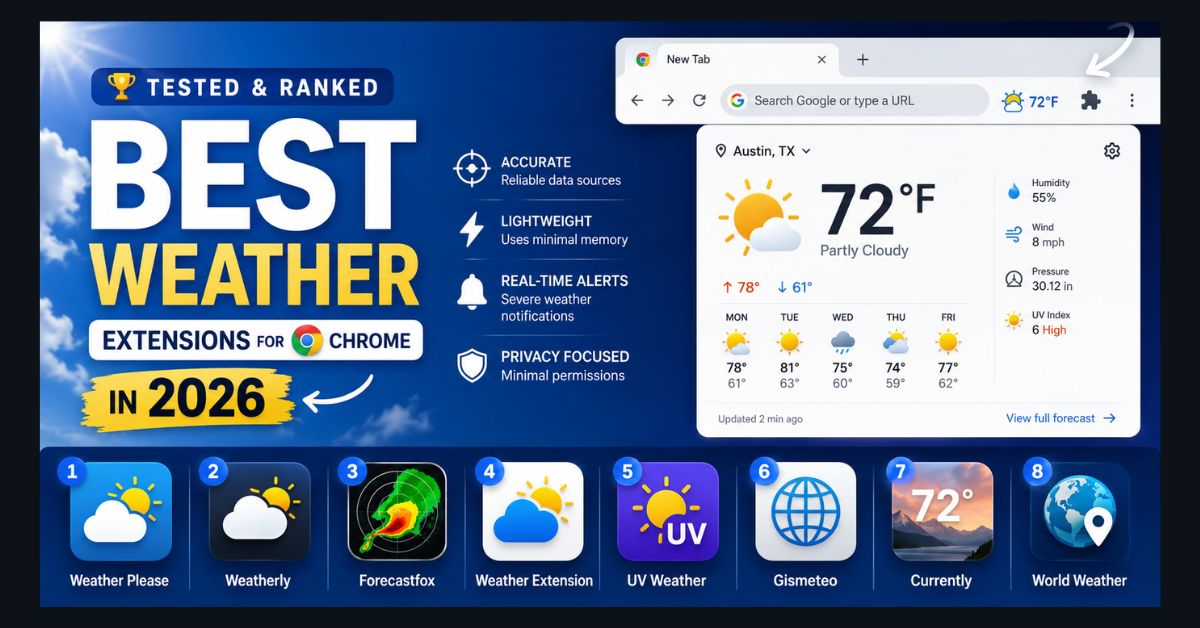
Checking the weather shouldn’t require opening a new tab, navigating to a website, and closing a popup ad before seeing the forecast. A good Chrome weather extension puts the current temperature in your toolbar, shows the forecast with one click, and sends alerts when severe weather is approaching — all while using minimal memory and not slowing down your browser.
The problem is that the Chrome Web Store lists hundreds of weather extensions, and most of them are bloated, ad-filled, or abandoned. Several popular options from 2024-2025 haven’t been updated for Chrome’s Manifest V3 requirements and may stop working in 2026. We reviewed the actively maintained weather extensions in the Chrome Web Store and narrowed them down to eight that are well rated, lightweight, actively updated, and worth installing.
What to Look For (and What to Avoid)
Accuracy matters most. A weather extension that says 72°F when it’s actually 58°F outside is worse than no extension at all. The best extensions pull data from reliable sources: Weather.com (The Weather Channel), OpenWeatherMap, Visual Crossing, or the National Weather Service API.
Lightweight is non-negotiable. Chrome already uses significant memory — sometimes crashing with “out of memory” errors on systems with limited RAM. A weather extension should use under 20 MB of memory. Several popular extensions use 50-100 MB, which adds unnecessary strain, especially on machines where you’re trying to keep your laptop running fast.
Manifest V3 compliance. Google is phasing out Manifest V2 extensions in 2026. Extensions that haven’t migrated to V3 will eventually stop working. Every extension on our list is V3 compliant.
Privacy. Weather extensions need your location to provide forecasts — that’s reasonable. But some extensions request permissions far beyond what weather requires: browsing history, all website data, or the ability to read page content. These excessive permissions suggest the extension is harvesting data for advertising. Check the permissions before installing, and review our cybersecurity and data privacy guide for broader browser security practices.
What to avoid: Extensions with generic names like “Weather” or “Forecast” from unknown developers with no website, no update history, and suspiciously high user counts (often inflated by bundling). If an extension has 500,000 users but a 2.5-star rating and no updates in a year, skip it.
1. Weather Please — Best Overall
Users: 100,000+ | Rating: 4.8/5 | Memory: ~8 MB Data source: OpenWeatherMap Best for: Most people — clean, fast, accurate, and minimal
Weather Please is the extension most Chrome users should install. It does exactly what a weather extension should do and nothing more: displays the current temperature in your toolbar icon, shows a beautiful popup with current conditions and a 5-day forecast when clicked, and auto-detects your location.
The design is the cleanest of any weather extension — no ads, no clutter, no promotional content. The popup feels like a premium weather app: large temperature display, weather icon, humidity, wind speed, and a clean 5-day forecast row. It loads instantly (under 8 MB of memory) and never nags you to upgrade or rate it.
Limitation: No severe weather alerts. If you need push notifications for storms, use Weather Please for daily forecasts and add Forecastfox for alerts.
2. Weatherly — Best for Detailed Data
Users: 50,000+ | Rating: 5/5 | Memory: ~12 MB Data source: Multiple sources Best for: Weather enthusiasts who want more than temperature
Weatherly provides the most comprehensive weather data of any Chrome extension: current conditions, hourly forecast, 7-day outlook, wind details (speed, direction, gusts), atmospheric pressure, dew point, visibility, UV index, and sunrise/sunset times. It also includes astronomy data (moon phase, daylight hours) that other extensions don’t offer.
The interface is more data-dense than Weather Please — which is exactly what weather enthusiasts want. If you check the weather multiple times a day and care about barometric pressure trends or UV index, Weatherly is the right choice.
Limitation: The denser interface may feel cluttered for users who just want a quick temperature check.
3. Forecastfox Weather — Best for Severe Weather Alerts
Users: 80,000+ | Rating: 4.5/5 | Memory: ~15 MB Data source: Weather.com / The Weather Channel Best for: Storm tracking, severe weather alerts, radar maps
Forecastfox is the extension to install if you live in an area prone to severe weather — tornadoes, hurricanes, winter storms, or flooding. It provides real-time severe weather alerts as Chrome notifications, interactive radar maps you can zoom and pan, hourly and daily forecasts, and storm tracking overlays.
The radar feature is the standout: click the extension and you can see precipitation moving across your area in real time, with the ability to zoom out for regional views. No other extension on this list matches Forecastfox’s radar quality.
Limitation: Uses more memory than minimalist options (~15 MB) and the interface is busier. Best used alongside a simpler extension like Weather Please rather than as a standalone.
4. Weather Extension (by weatherextension.com) — Best Cross-Browser Option
Users: 100,000+ | Rating: 4.4/5 | Memory: ~10 MB Data source: Multiple providers Best for: Users who use Chrome, Firefox, Edge, and Opera
This extension works across Chrome, Firefox, Opera, and Edge with the same interface and features. If you use multiple browsers (or if you’re considering switching to a privacy-focused browser), having the same weather extension in every browser maintains a consistent experience.
Features include toolbar temperature badge, current conditions popup, 7-day forecast, storm alerts, and multiple location support (track weather in up to 5 cities simultaneously). The 1,900+ reviews are overwhelmingly positive.
5. UV Weather — Best for Health-Conscious Users
Users: 20,000+ | Rating: 4.5/5 | Memory: ~10 MB Data source: AI-powered with hyperlocal data Best for: UV exposure tracking, air quality monitoring, outdoor activity planning
UV Weather differentiates itself by focusing on health-related weather data: UV index with exposure risk levels, air quality index (AQI) with pollutant breakdown, pollen counts for allergy sufferers, and hourly “best time for outdoor activity” recommendations based on combined UV, AQI, and temperature data.
For runners, cyclists, outdoor workers, and anyone with skin sensitivity or respiratory conditions, UV Weather provides actionable health guidance that pure temperature-and-forecast extensions don’t cover.
6. Gismeteo Weather Forecast — Best for International Users
Users: 200,000+ | Rating: 4.2/5 | Memory: ~12 MB Data source: Gismeteo (proprietary network) Best for: International travelers, users outside the US
Gismeteo operates one of the largest independent weather station networks globally, with particularly strong coverage in Europe, Asia, and Russia — regions where US-centric extensions sometimes provide less accurate local data. The extension supports multiple languages and displays data in metric or imperial units.
The interface is straightforward: current conditions, 10-day forecast, and humidity/wind/pressure data. Reviews are split between users who appreciate the simplicity and accuracy, and those who want more features. For international accuracy, Gismeteo is among the best.
7. Currently — Best New Tab Weather
Users: 100,000+ | Rating: 4.3/5 | Memory: ~8 MB Data source: Dark Sky API (now Apple Weather) Best for: Users who want weather on every new tab
Currently replaces your Chrome new tab page with a beautiful, full-screen weather display. Every time you open a new tab, you see the current temperature, conditions, and a 7-day forecast rendered in a clean, minimalist design.
This is polarizing — you either love having weather as your new tab or you find it disruptive. For users who check the weather frequently and open new tabs regularly, Currently turns passive browsing moments into weather awareness. For users who prefer a traditional new tab page, stick with a toolbar-based extension.
Limitation: Replaces your new tab page entirely. If you use Chrome’s default new tab for shortcuts and recent sites, this extension removes that functionality.
8. World Weather — Best for Multiple Locations
Users: 50,000+ | Rating: 4.5/5 | Memory: ~10 MB Data source: Oplao weather data Best for: Travelers, remote workers with colleagues in other cities
World Weather lets you track weather in up to 7 locations simultaneously with a single-click location switcher in the toolbar. Current conditions, detailed forecasts, and 3-day outlooks for each saved city. The interface supports native language location search, making it easy to add international destinations.
For remote workers coordinating with teams across time zones — or frequent travelers who need weather for multiple destinations — World Weather is the most efficient multi-location option.
How to Install a Chrome Weather Extension
Installing any extension takes under 30 seconds:
- Step 1: Visit the Chrome Web Store (chromewebstore.google.com) and search for the extension name.
- Step 2: Click “Add to Chrome” → “Add extension” in the popup.
- Step 3: The extension icon appears in your toolbar. Click it to set your location and customize settings.
- Step 4: If the icon doesn’t appear, click the puzzle piece icon in Chrome’s toolbar → find the extension → click the pin icon to keep it visible.
To manage memory usage: If you notice Chrome slowing down after installing extensions, type chrome://extensions in the address bar to review which extensions are installed and disable any you don’t actively use. For comprehensive browser optimization, check our screen recording software guide — which also covers Chrome-based tools and their performance impact.
FAQ
1. Which Chrome weather extension is most accurate?
Accuracy depends on your location and the data source. For the US, extensions using Weather.com data (Forecastfox) or NWS data are most accurate. For international locations, Gismeteo often outperforms US-centric sources. Weather Please and Weatherly use OpenWeatherMap, which provides good global accuracy. No extension is perfectly accurate — all weather forecasting involves prediction uncertainty.
2. Do weather extensions slow down Chrome?
Good ones don’t. The extensions on this list use 8-15 MB of memory — negligible compared to Chrome tabs (70-300 MB each). Avoid weather extensions that use 50+ MB, run continuous background processes, or display inline ads — these drag down browser performance.
3. Are Chrome weather extensions safe for privacy?
The extensions on this list request only location permission, which is required for local forecasts. Avoid extensions that request access to “all website data,” browsing history, or other permissions unrelated to weather. These excessive permissions indicate data harvesting. Check permissions before installing by clicking “Details” on the Chrome Web Store listing.
4. Will my weather extensions work if I switch to Brave or Edge?
Yes. Brave and Edge are Chromium-based browsers that support Chrome extensions. Any extension from this list works on Brave, Edge, and Vivaldi without modification. Simply install from the Chrome Web Store in your new browser.
5. Can I use multiple weather extensions at once?
Yes, but it’s unnecessary for most people. The exception: use Weather Please (daily forecasts) + Forecastfox (severe alerts and radar) for the most comprehensive coverage. Two lightweight extensions (16-23 MB combined) use less memory than many single tabs.