

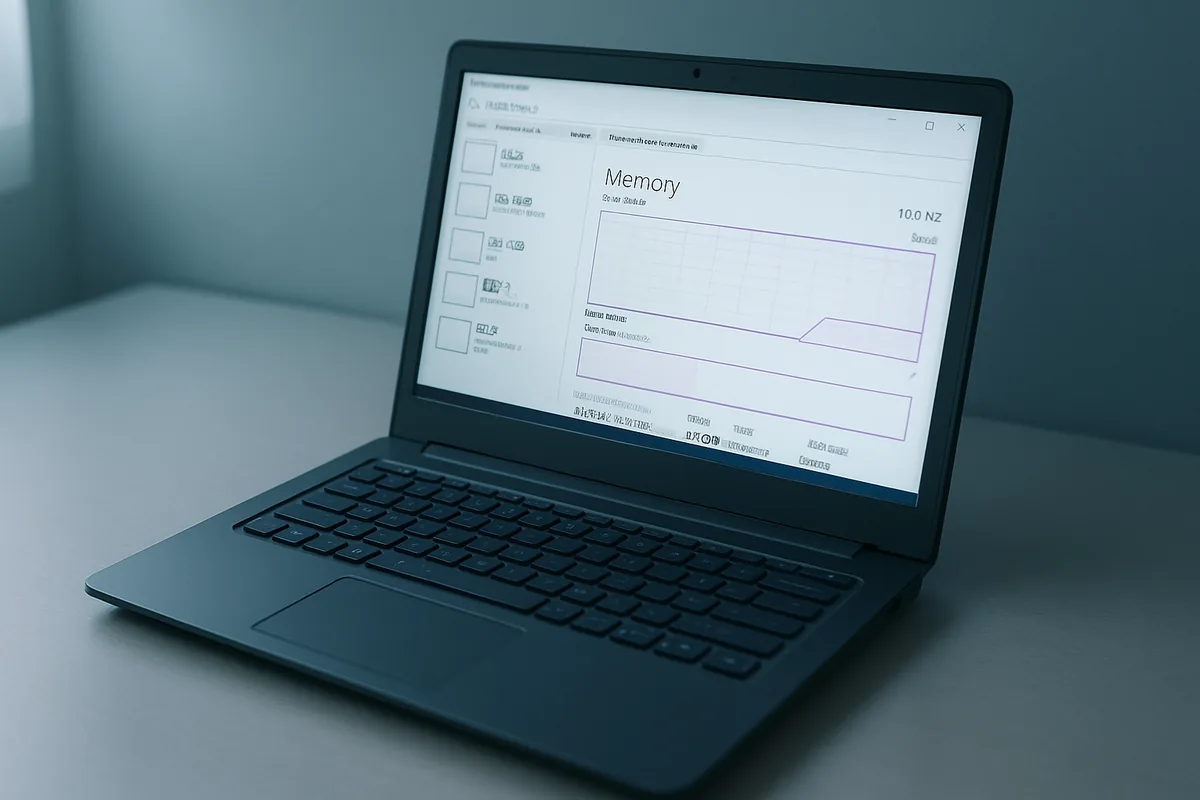
Quick Answer
Microsoft confirmed on July 31, 2026 that making Windows 11 use less memory on 8GB PCs is now a priority through the end of 2026. The fix rolls out gradually, reaching most PCs by late 2026, not overnight. Until then, you can speed up a low-RAM PC yourself with a few settings changes.
Key Takeaways
- Windows chief Pavan Davuluri named “memory optimization for 8GB and above” as a focus for the rest of 2026.
- The work targets Windows itself: a leaner memory allocator, WinUI 3 tuning, and lighter Chromium and WebView2 components.
- No benchmark or memory target has been published, and the broad rollout starts this fall.
- An 8GB PC can idle near 6GB of RAM used, which is why it feels slow before you open anything.
- With DRAM prices up sharply in 2026, 16GB upgrades are pricey, so this matters most to budget-PC owners.
What did Microsoft announce for 8GB Windows 11 PCs?
Microsoft announced that reducing Windows 11’s memory use on PCs with 8GB of RAM is now an official priority for the rest of 2026. Pavan Davuluri, President of Windows and Devices, laid it out in a July 31, 2026 progress report on the Windows quality commitment the company first made in March, published on the official Windows Insider Blog. He listed “memory optimization for 8GB and above” as one of four focus areas.
The goal, in Microsoft’s words, is to reduce the Windows memory footprint so lower-memory PCs stay fast and responsive during everyday use. In plain terms, Microsoft wants Windows itself to hold onto less RAM so more is left for your browser, your work apps, and everything else. This is the first time the company has publicly named the operating system, not just the apps on top of it, as part of the problem.
The other three focus areas are a faster out-of-box setup for new PCs, easier family and parental control setup, and more natural voice input. Memory is the one that touches the most people, because it affects every PC running the OS rather than a single feature.
Why does Windows 11 struggle on 8GB of RAM?
Windows 11 struggles on 8GB because the operating system and its built-in apps reserve a large share of that memory before you open anything. Reports cited alongside the announcement describe some 8GB systems sitting near 6GB of RAM used at idle, which leaves little headroom for real work. Once you add a browser with several tabs, the system starts leaning on the slower page file on disk.
A big culprit is WebView2, the Chromium-based engine that powers many built-in Windows features and widgets. Running Chromium components in the background is memory-hungry by nature. Davuluri said Microsoft is addressing this with a more efficient memory allocator to cut overhead across apps and components, plus tuning of WinUI 3 so built-in apps use less RAM by design. The WinUI 3 work is already showing early results: the July 31 post credits WinUI 3 with “substantial improvements in memory efficiency and latency” and lists faster launches for Start, File Explorer, Search, and Snipping Tool, plus improved boot and logon times.
| What eats your RAM | Why it hurts an 8GB PC | Quick fix today |
|---|---|---|
| Too many browser tabs and extensions | Each tab and add-on holds memory | Close unused tabs; remove extensions you do not use. |
| Startup apps | They load at boot and stay resident | Disable them in Task Manager, then Startup apps. |
| Background apps and widgets | WebView2 components run when idle | Turn off background apps you never use. |
| Visual effects | Animations use memory and GPU | Set Windows to adjust for best performance. |
| Low free disk space | Windows pages to a nearly full drive | Free up space so paging stays fast. |
The takeaway is that most of the slowdown comes from a handful of predictable places. You can claw back usable memory today by trimming those, well before Microsoft’s own changes arrive. Our guide to clearing RAM on Windows 11 walks through the fastest wins.
When will the memory improvements actually reach your PC?
The memory improvements are rolling out gradually, not in a single update you can install today. Davuluri said the changes have been going to Windows Insiders over recent months and will begin reaching regular Windows 11 PCs more broadly this fall, continuing through the end of 2026. So general availability lands at the tail end of the year, assuming nothing slips.
Two honest caveats belong here. First, Microsoft has not published any target number, benchmark, or before-and-after figure, so how much RAM you get back is still unknown. Second, this is a roadmap item spread across several updates rather than one decisive fix. Treat it as steady improvement over months, not a switch that flips.
To get the pieces as they ship, keep Windows current. Install the latest cumulative updates, such as July 2026’s KB5101650 and KB5121767, under Settings, then Windows Update. Updates also refresh device drivers, and an outdated graphics or storage driver, which you can check in Device Manager, can drag performance down on its own. Stop and contact your PC maker’s support if a Windows Update installation fails partway through or the PC becomes unresponsive after an update, because a failed cumulative update can occasionally require a recovery environment to resolve.
Users who want the changes earliest can enroll a non-production device in the Windows Insider Program, where Microsoft is previewing the memory work alongside taskbar and Start menu changes.
How can you speed up a low-RAM Windows 11 PC right now?
Speeding up a low-RAM Windows 11 PC takes about 10 minutes and does not require buying anything. Work through these steps in order, since the biggest memory savings usually come from the first three. They line up with Microsoft’s own performance guidance.
Back up your files first if you plan to go as far as a reset later. The everyday steps below are safe and reversible, but a current backup protects your photos and documents before any major change.
- Open Task Manager with Ctrl+Shift+Esc, go to Startup apps, and disable anything you do not need at boot.
- Cut browser tabs and extensions, since a browser is often the single largest memory user on an 8GB PC.
- Turn off background apps under Settings, then Apps, then Installed apps, for apps you never use in the background.
- Set visual effects to performance: search Adjust the appearance and performance of Windows and choose Adjust for best performance.
- Free up disk space so Windows can page efficiently, then restart to clear memory.
If your PC is still crawling, some built-in Windows features are heavier than others, and trimming them helps on low-RAM machines. The Widgets panel is one example: it uses WebView2 to render a live news and information feed, which keeps a Chromium process running in the background, so turn it off under Settings, then Personalization, then Taskbar if you do not use it. Our guides on making a laptop faster and freeing up disk space on Windows 11 cover the deeper cleanup, and if the built-in AI features feel like overhead, see how to remove AI features from Windows 11. Stop here and take the PC to a technician if it needs hardware work like adding RAM, unless you are confident opening the case yourself.
Should you buy an 8GB laptop or hold out for 16GB?
Buying advice for 2026 is simple: get 16GB if your budget allows, because it gives real headroom that no software tweak fully replaces. Microsoft’s optimization will help 8GB machines, but 16GB still runs more apps at once with less slowdown. The official Windows 11 minimum is still 4GB, but Microsoft’s own requirements specify 16GB of DDR5/LPDDR5 for a Copilot+ PC that handles AI workloads. For light use, such as web, email, documents, and streaming, a well-managed 8GB PC is fine for now.
The catch is price. DRAM prices have surged through 2026, so 16GB configurations cost noticeably more than they did a year ago, and forecasts point higher still. That is exactly why Microsoft is optimizing for 8GB: many buyers are stuck at that level whether they like it or not. If you can buy a machine where the RAM is user-upgradeable, that hedges your bet.
This is general guidance, not financial advice, and prices move week to week, so check current listings before you buy. For the full picture on timing a purchase, see our breakdowns of whether to buy a laptop now given RAM prices and how the AI memory shortage is pushing device prices up.
Does this fix the RAM price problem?
No, Microsoft’s memory work does not fix the underlying RAM price problem, and it is not meant to. The optimization makes the software side leaner, but it does nothing about the hardware market driving up costs. Those are two separate issues that happen to be colliding in 2026.
The price pressure comes from surging demand for memory, much of it tied to AI data centers, which has pushed DRAM costs sharply higher across the industry. That is why budget laptops, and even some new devices, are shipping with less RAM and storage than buyers expect. Microsoft trimming the operating system’s footprint softens the blow for people on 8GB, but it cannot lower the price of a memory chip.
Framed fairly, this is Microsoft making the best of a hard market rather than solving it. A leaner Windows is genuinely useful when RAM is expensive. It just should not be mistaken for relief on device prices, which depend on the supply chain, not the OS.
What else is Microsoft changing in Windows 11 this year?
Beyond memory, Microsoft outlined three more Windows 11 focus areas for the rest of 2026. First, a faster out-of-box setup so new PCs finish their first-run experience more quickly. Second, easier family setup with more accessible parental controls. Third, more natural voice interaction across everyday apps.
These sit on top of earlier changes from the same quality push, which trimmed clutter and sped up parts of the shell. Microsoft has previewed movable taskbar positions, more Start menu customization, and the option to skip updates during setup. None of that is a headline feature, and that is the point: the effort is about fixing basics rather than adding new toys.
User perception has been slower to shift. In a TechPowerUp reader poll, only 6% of 24,100 participants said Windows was “noticeably improved,” while 36% said Windows 11 was “actually getting worse” following Microsoft’s improvement plan announcement. That poll covers the broader quality program rather than the memory work, which had not yet reached most users.
For everyday users, the practical read is that Windows 11 is in a cleanup phase. The memory work is the most consequential piece, but the wider theme is reliability and speed. That is a reasonable direction for anyone who has felt the OS grow heavier over time.
FAQ
Will Windows 11 run better on my 8GB laptop after this update?
Yes, Microsoft is reducing Windows 11’s memory footprint so 8GB PCs stay more responsive, but the change arrives gradually through late 2026 rather than in one update. Until it reaches your PC, trimming startup apps and browser tabs is the fastest way to free up memory.
When will the Windows 11 memory optimization be available?
The improvements are rolling out to Windows Insiders now and begin reaching regular PCs more broadly this fall, continuing through the end of 2026. Microsoft has not given a specific build number or a firm date for general availability.
Why does my 8GB Windows 11 PC feel so slow?
An 8GB Windows 11 PC feels slow because the OS and background components, including WebView2, can use most of the memory before you open an app. Closing tabs, disabling startup apps, and freeing disk space usually give the biggest immediate improvement.
Should I buy an 8GB or 16GB laptop in 2026?
Buy 16GB if your budget allows, since it gives headroom that software tweaks cannot fully match, though it costs more due to high 2026 RAM prices. A well-managed 8GB PC is still fine for web, email, documents, and streaming.
Does this lower the price of RAM or new laptops?
No, this is a software change that makes Windows use less memory and does not affect RAM or laptop prices. Those prices are driven by a memory supply crunch tied largely to AI demand, which Microsoft does not control.