

Quick Answer
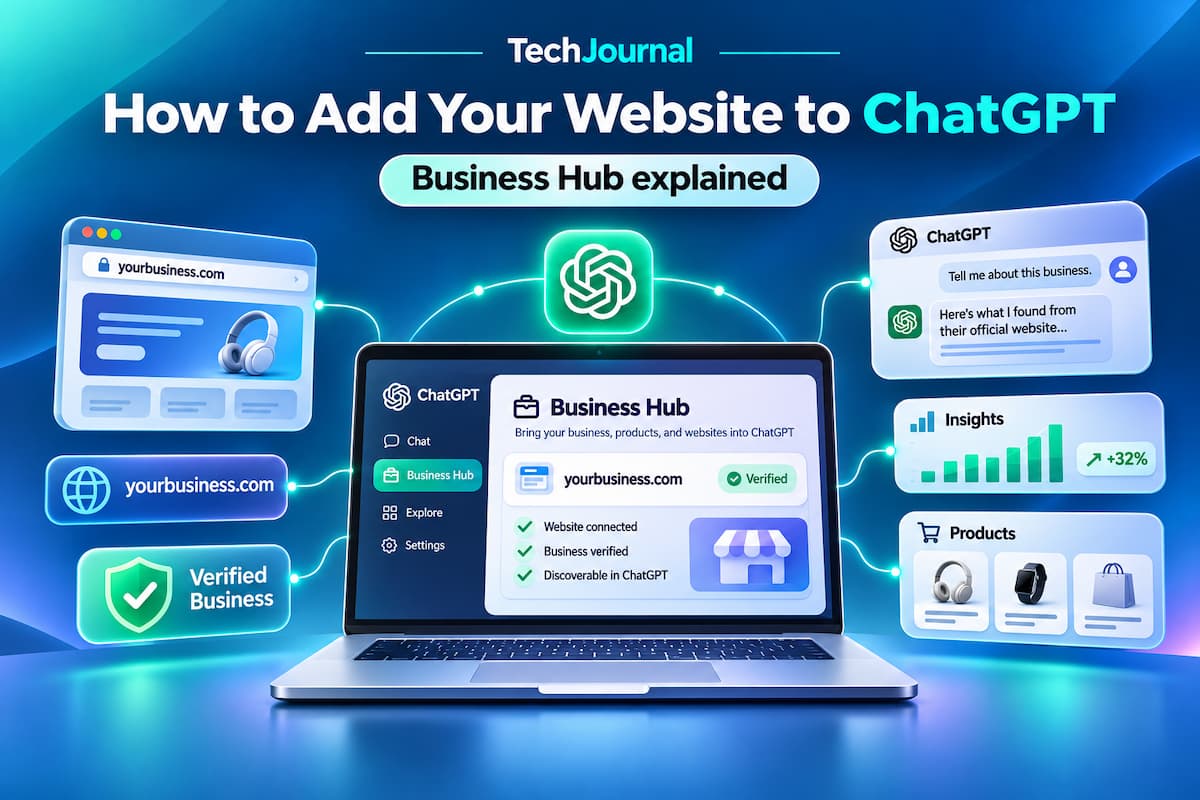
ChatGPT Business Hub lets you add your website to ChatGPT by claiming your business, a beta feature OpenAI launched on November 10, 2026. After OpenAI approves your claim and a Persona identity check, you can update your website and business details, connect product feeds, and view mention and click insights. Claiming does not guarantee more ChatGPT visibility.
Key Takeaways
- OpenAI launched Businesses in ChatGPT, including Business Hub, in beta on November 10, 2026.
- Business Hub requires two separate approvals: a business claim (phone, email, website domain, or Shopify) and a Persona identity check.
- Verified businesses can see 28 days of aggregated mentions, website clicks, and discovery topics, but never individual user conversations.
- Business Agents are limited to eligible US ecommerce and online service businesses and cannot complete purchases, bookings, or order lookups.
- Claiming a business is free and does not require a paid ChatGPT Business, Enterprise, or advertising account.
OpenAI’s new Business Hub gives website owners a direct way to supply verified company information to ChatGPT for the first time. The feature covers profile claiming, website and policy updates, product feeds, and an Insights dashboard, while a separate Business Agents program lets some US stores answer customer questions inside ChatGPT. This guide explains each step, what the dashboard reports, and the limits OpenAI places on the program.
What is ChatGPT Business Hub?
ChatGPT Business Hub is the dashboard where owners and authorized representatives claim a business, manage how it appears in ChatGPT, and review aggregated engagement data. OpenAI introduced Business Hub on November 10, 2026, as part of a broader beta called Businesses in ChatGPT, which also includes Business Agents.
Before Business Hub, ChatGPT relied entirely on information it found on company websites, listings, and other public sources. That approach often produced outdated hours, prices, or descriptions, and businesses had no formal channel to correct them. Business Hub adds a verified path: a confirmed representative can now submit the website address, description, logo, product or service category, and delivery and return policies directly.
According to OpenAI’s official announcement, the program is designed to help people find businesses, explore products, and make decisions inside ChatGPT, which OpenAI says reaches 1.2 billion weekly users. That figure describes overall ChatGPT usage, not the number of people who view business profiles. The practical value for most owners is accuracy: Business Hub gives a company a sanctioned way to make sure ChatGPT has correct details when it does mention the business.
Can you add any website to ChatGPT?
Not every website qualifies for every Business Hub feature. OpenAI says any eligible business located where ChatGPT is available can claim its profile, but eligibility also depends on the business category, its location, and whether a supported verification method exists for it.
There are 3 eligibility situations that matter most at launch. They are:
- Online businesses: These can claim an existing listing wherever ChatGPT is available, and some may be offered the option to add a new listing if none exists.
- Local stores and restaurants: These can currently claim only an existing US listing, according to OpenAI’s setup guide.
- OpenAI Enterprise customers and advertisers: These complete the claim through their OpenAI representative rather than the self-service flow.
Claiming a business also does not place your full website inside ChatGPT. ChatGPT shows a business profile containing company information, website links, and supported product details. Interactive experiences that run inside the chat window require a different technology, which is covered later in this guide.
How do you add your website to ChatGPT using Business Hub?
To add your website to ChatGPT, claim your business in Business Hub, verify your connection to it, pass identity verification, and then edit your profile. OpenAI’s Business Hub setup guide lays out the process, and the 6 steps below follow that order.
Step 1: Open Business Hub and find your listing
- Sign in to ChatGPT on the web with the account that should own the business profile.
- Open Business Hub from the sidebar, or go directly to chatgpt.com/business-hub.
- Search for your company by its business name.
- Select the matching listing to begin the claim.
Select the support option instead of creating a duplicate if the listing shows a “Contact support” message. That message indicates the listing is locked, and only OpenAI support can resolve access to it.
Step 2: Verify your connection to the business
Verify the claim with one of the methods Business Hub offers for your listing. OpenAI lists 4 possible verification methods. They are business phone, business email, website domain, and Shopify store connection. Not every listing shows all 4 options, so the available choices depend on the business.
Website domain verification works through DNS. Business Hub provides a TXT record, which you add at your DNS provider (such as your registrar or Cloudflare) before returning to ChatGPT to confirm. Add the TXT record as a new entry rather than editing an existing one, because altering an existing SPF or other verification TXT record can disrupt email delivery or other services on the domain. DNS changes usually propagate within minutes to a few hours, but some providers take longer, so wait before retrying a failed check.
Step 3: Wait for claim approval
Wait for OpenAI to review the claim after the initial verification. OpenAI may send an approval email or ask for more information. Passing domain or phone verification does not by itself grant full access to Business Hub features, because the claim review and the identity check are separate steps.
Step 4: Complete identity verification with Persona
Complete identity verification through Persona, a third-party verification service, before you try to edit anything. OpenAI requires an approved Persona check before you can publish business updates, view Insights, connect a product feed, or create a Business Agent. Early users report that Persona asks for a government-issued photo ID.
This step involves sharing personal identity documents with a third party, so the person who verifies should be someone authorized to represent the company. Agencies and contractors should confirm with the business owner before submitting their own ID on a client’s behalf. A verified badge appears on the profile after OpenAI approves the Persona check.
Step 5: Update your website and business details
Update the profile once both approvals are complete. Editable fields include the website URL, business description, product or service category, logo, delivery policy, and return policy. Match each field to the information already published on your official website, because conflicting details across your site, listings, and ChatGPT profile make it harder for any AI system to present the business accurately. OpenAI reviews submitted changes, so edits may not appear in ChatGPT immediately.
Step 6: Connect a product catalog, if applicable
Connect a product feed if you sell products online. Business Hub accepts 3 main feed routes. They are a Shopify connection, an uploaded feed file such as CSV, and a hosted feed URL. Shopify merchants can also start the connection from the Shopify admin, and OpenAI says eligible Shopify products already appear in ChatGPT through Shopify Catalog.
Product feeds share prices, availability, and product details more directly than crawled web pages. That said, a connected catalog does not guarantee that ChatGPT will recommend any of the listed products. Stop and contact OpenAI support through Business Hub if a feed repeatedly fails processing, rather than uploading multiple versions that may conflict.
What does each Business Hub approval unlock?
Each Business Hub approval unlocks a different set of features, and the table below shows where a business stands at each stage.
| Stage | What it proves | What you can do |
|---|---|---|
| Claim submitted | Nothing yet | Wait for OpenAI review |
| Claim approved | Your connection to the business (phone, email, domain, or Shopify) | Access the business in Business Hub; start Persona verification |
| Persona approved | Your personal identity | Publish profile edits, view Insights, connect product feeds, earn the verified badge |
| Agent eligibility confirmed | Business category and intended use meet Business Agents policy (US only) | Build, test, and publish a Business Agent |
What can businesses see in the Business Hub Insights dashboard?
The Business Hub Insights dashboard shows aggregated activity from the past 28 days across 3 measurements. They are website mentions, website clicks, and discovery topics.
- Website mentions: For an online business, OpenAI counts a mention when a ChatGPT answer references the company’s website. Naming the brand without referencing its website does not count.
- Website clicks: This metric shows how often people clicked from ChatGPT through to the business website.
- Discovery topics: These are common themes in the ChatGPT answers that referenced the business.
These metrics matter because they are the first first-party data OpenAI has offered on how a business is discovered in ChatGPT. Until now, site owners had to infer ChatGPT referrals from analytics tools that often misattribute AI traffic. At the same time, the numbers have clear limits. OpenAI applies privacy thresholds, so some fields stay blank even when activity occurred, and businesses cannot see individual users’ conversations or Business Agent chats. The most sensible approach is to treat Insights as a directional signal and compare it with referral data in your own analytics platform.
What are ChatGPT Business Agents?
ChatGPT Business Agents are AI assistants that answer customer questions on a company’s behalf inside ChatGPT, using information the business supplies. A shopper comparing two laptops, for example, could open a retailer’s profile and ask its agent about product differences, shipping, or return conditions.
Business Agents are currently limited to eligible ecommerce and online service businesses in the United States. Verification alone does not guarantee agent eligibility, because OpenAI also reviews the business category and the agent’s intended use. Eligible businesses can create an agent, review the information it draws on, test its answers, and then publish it.
Business Agent conversations are clearly labeled and kept separate from ChatGPT’s independent answers. Agents also have firm functional limits: they cannot complete purchases, make bookings, or check existing orders, so customers must follow links to the company’s website for those actions. For the shopper’s side of the experience, see TechJournal’s report on ChatGPT Business Agents and online shopping, and for background on the technology, read what an AI agent is.
Will adding your website make ChatGPT recommend your business more often?
Adding your website to ChatGPT through Business Hub does not make ChatGPT recommend your business more often. OpenAI states that claiming a profile does not guarantee increased visibility and does not give businesses direct control over ChatGPT’s independent recommendations.
This distinction matters for anyone hoping Business Hub works like a ranking shortcut. The feature improves the accuracy of what ChatGPT knows about a business, but ChatGPT continues to draw on external sources when it answers questions, even after a profile is updated. The practical response is to keep doing the work that already influences AI answers: publish clear, current, and well-structured website content, keep product data up to date, and make key business details easy to find and consistent everywhere they appear.
OpenAI also lets eligible businesses sponsor their Business Agents through ChatGPT advertising, building on the Sponsored Agents test that began earlier this fall. OpenAI says sponsored placements are labeled and that advertising does not influence ChatGPT’s independent answers. Advertising is a separate, paid product and is not required to claim a business.
Is Business Hub the same as ChatGPT Business or the Apps SDK?
Business Hub is not the same product as ChatGPT Business or the OpenAI Apps SDK, although the similar names cause frequent confusion. Each serves a different purpose, and the comparison below shows which one fits a given goal.
| Product | Who it is for | What it does | Cost to start |
|---|---|---|---|
| Business Hub | Business owners and authorized representatives | Claims and manages a business profile, product feeds, and Insights inside ChatGPT | Free to claim (beta) |
| ChatGPT Business | Teams using ChatGPT at work | Paid workspace subscription with collaboration features and admin controls | Paid per-seat subscription |
| OpenAI Apps SDK | Developers | Builds interactive apps that run inside ChatGPT and connect to a company’s own backend | Developer build and hosting costs |
You do not need a ChatGPT Business subscription, a ChatGPT Enterprise agreement, or an advertising account to claim an eligible business. Choose the Apps SDK instead if the goal is an interactive service inside ChatGPT, such as a booking tool or a custom product configurator, rather than a managed business listing. Small businesses evaluating where AI fits into their wider operations can also review TechJournal’s guide to the best AI tools for small business.
Why does Business Hub matter for website owners?
Business Hub matters because it is the first official channel for supplying verified business data to one of the most widely used AI assistants. With ChatGPT reporting 1.2 billion weekly users, inaccurate or missing business details now carry a real cost, and Business Hub gives owners a sanctioned way to correct them without building a custom ChatGPT application.
The benefit differs by business type. Small businesses gain an accurate profile at no cost, ecommerce companies gain product feeds and, in the US, Business Agents, and marketers gain a new first-party data source on AI-driven discovery. The main limitation is control: a verified profile does not decide whether ChatGPT recommends a business, and a Business Agent remains a separate experience from ChatGPT’s independent answers. For broader context on ChatGPT’s reach, see TechJournal’s analysis of ChatGPT market share in 2026.
Frequently asked questions
Is it free to add your business to ChatGPT?
Adding your business to ChatGPT through Business Hub is free during the beta. OpenAI does not require a ChatGPT Business subscription, Enterprise agreement, or advertising account to claim an eligible business, although verification and eligibility requirements still apply.
Can I add a blog or news website to ChatGPT Business Hub?
A blog or news publisher can claim a profile in Business Hub if its location, listing, and verification method are supported. Claiming a profile does not make a publisher eligible for a Business Agent, which is limited to eligible US ecommerce and online service businesses.
Can I upload my entire website to ChatGPT?
No, Business Hub cannot host or embed an entire website inside ChatGPT. Business Hub accepts supported business details and product feeds, while custom interactive experiences require OpenAI’s Apps SDK.
Can businesses outside the United States use Business Hub?
Yes, eligible online businesses outside the United States can claim profiles wherever ChatGPT and the required verification are supported. Local stores and restaurants can currently claim only existing US listings, and Business Agents remain limited to the US with no announced date for international expansion.
Does claiming my business improve my ChatGPT rankings?
No, claiming a business does not improve rankings or guarantee recommendations in ChatGPT. OpenAI says verification does not give businesses control over ChatGPT’s independent answers, so the main benefit is more accurate business information.