

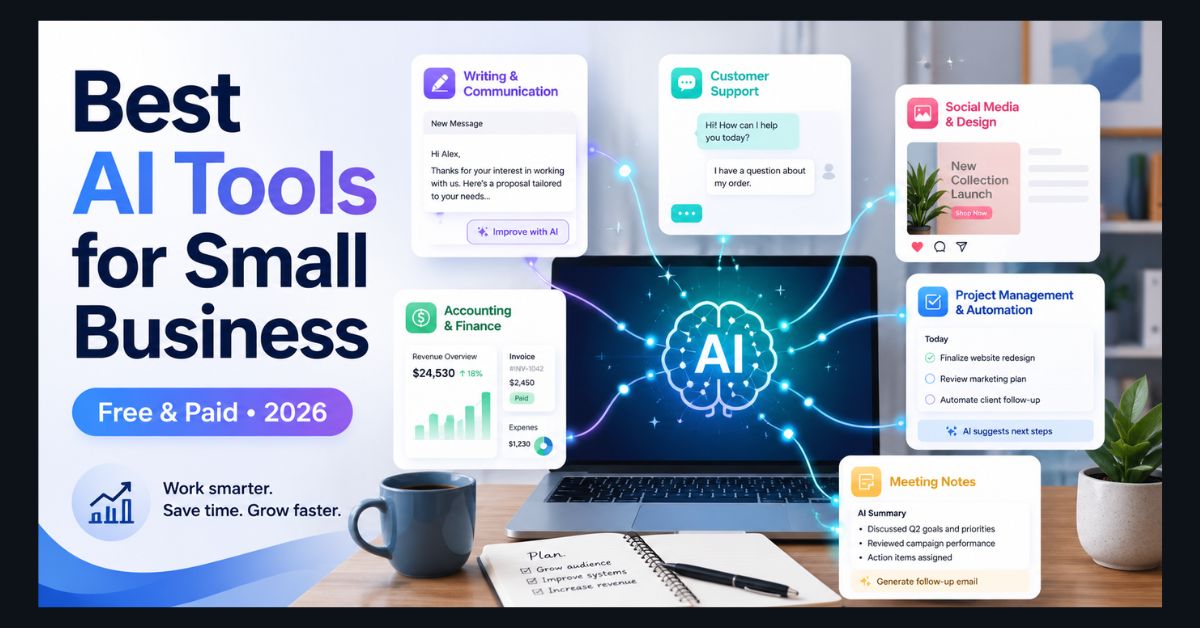
The best AI tools for small business in 2026 are Claude for professional writing, ChatGPT Plus as the best all-rounder, and tools like Perplexity, Canva, and QuickBooks AI for research, design, and finance. The best options work out of the box, have useful free tiers, and save time within the first week, no IT department required.
- Best for writing: Claude — most natural, professional output (free tier available)
- Best all-rounder: ChatGPT Plus ($20/mo) — handles nearly any business task
- Pick by task: Match the tool to the job (writing, support, content, finance)
- Free tiers work: Most useful tools cost nothing to start
- Watch for wrappers: Avoid overpriced “ChatGPT wrapper” tools with no added value
Small businesses don’t need enterprise AI platforms with $10,000/month price tags and six-month onboarding processes. They need tools that save time on the tasks that eat their day — writing emails, managing customer questions, creating social media content, tracking finances, and keeping projects organized.
The good news is that in 2026, the AI tools worth using are affordable (most have free tiers that handle real work), require zero technical setup, and deliver measurable time savings within the first week of use. The bad news is that there are hundreds of AI tools claiming to be “built for small business,” and most of them are repackaged ChatGPT wrappers charging premium prices for commodity features.
We evaluated tools specifically through a small business lens: does it work out of the box without an IT department? Does the free tier actually let you accomplish meaningful work? Is it worth the price for a team of 1-20 people? Here are the 12 that pass all three tests.
For Writing and Communication
1. Claude (Anthropic) — Best for Professional Writing
Claude produces the most natural, professional-sounding writing of any AI assistant. Emails, proposals, reports, and client communications come out polished and human-sounding — not riddled with the formulaic patterns (“in today’s fast-paced world…”) that make AI-generated text obvious.
The free tier provides daily messages on Claude Sonnet, which is more than enough for a small business owner who writes a dozen emails and a few documents per day. Claude Pro at $20/month removes limits and gives access to the strongest model. For a detailed comparison of how Claude stacks up against the competition, see our Claude vs ChatGPT vs Gemini breakdown.
Best for: Client communications, proposals, contracts, marketing copy, blog posts. Price: Free tier available. Pro: $20/month.
2. ChatGPT Plus — Best All-Rounder
ChatGPT handles virtually any business task — writing, data analysis, brainstorming, research, image generation, and code. It’s the Swiss Army knife of AI tools: nothing is best-in-class, but everything is competent. At $20/month, it’s the most versatile single tool a small business can subscribe to.
The image generation capability (GPT Image 2) is particularly useful for small businesses that need social media graphics, product mockups, or presentation visuals without hiring a designer.
Best for: Businesses that need one tool for everything. General writing, brainstorming, analysis. Price: Free tier (limited). Plus: $20/month.
3. Grammarly Business — Best for Team Writing Consistency
When you have 5-10 people sending emails, writing proposals, and creating documents, quality varies wildly. Grammarly Business ensures consistent grammar, tone, and style across every team member’s communications. The AI suggestions go beyond spell-check — tone detection flags when an email sounds too aggressive, clarity improvements simplify jargon, and brand voice settings keep everyone’s writing aligned.
Best for: Teams of 3+ people who write client-facing content. Price: $15/user/month.
For Customer Support
4. Tidio AI — Best Chat Support for Small Business
Tidio puts an AI chatbot on your website that handles customer questions 24/7. Setup takes under 30 minutes — point it at your FAQ page and product descriptions, and the AI learns your business well enough to answer the majority of incoming questions without human intervention. Complex issues get escalated to your team with full conversation context.
For a business that receives 20-50 customer messages per day, Tidio can handle 60-70% of them automatically, freeing your team for the questions that actually require a human.
Best for: E-commerce, service businesses, any company with a website and recurring customer questions. Price: Free tier available (50 conversations/month). Paid plans from $29/month.
5. Freshdesk with Freddy AI — Best for Ticket Management
If you manage customer support through tickets (email-based support, not live chat), Freshdesk’s AI automatically categorizes incoming tickets, suggests responses based on your knowledge base, and prioritizes urgent issues. The free tier supports up to 2 agents — enough for a small team.
Best for: Businesses managing 50+ support tickets per week. Price: Free for up to 2 agents. Paid plans from $15/agent/month.
For Marketing and Social Media
6. Canva Pro with Magic Studio — Best for Visual Content
Canva Pro is the single most impactful tool for small businesses without a designer. The AI-powered Magic Studio includes image generation (describe what you want and Canva creates it), background removal (one-click, works perfectly), Magic Write (generates copy for social posts, ads, and flyers), and one-click resizing (create a design once, resize for Instagram, Facebook, LinkedIn, TikTok, and print in seconds).
At $13/month, Canva Pro replaces $500+/month in freelance design costs for most small businesses. For more advanced image generation needs, see our best free AI image generators guide. For video, check our AI video generators roundup. For teams ready to move beyond simple social clips, Higgsfield for marketing video shows how quickly AI-generated video is becoming useful for product promos, ads, and campaign creative.
Best for: Social media graphics, marketing materials, presentations, menus, flyers. Price: Free tier (generous). Pro: $13/month per person.
7. Buffer with AI Assistant — Best for Social Scheduling
Buffer’s AI generates post ideas based on your industry, writes captions in your brand voice, and suggests optimal posting times based on when your audience is most active. It manages LinkedIn, X, Instagram, Facebook, and TikTok from one dashboard.
The free tier handles 3 social channels — enough for most small businesses to start. You write one idea, Buffer’s AI creates platform-specific versions, and you schedule them across the week in 10 minutes.
Best for: Businesses managing 3+ social media accounts. Price: Free for 3 channels. Paid plans from $6/channel/month.
For Finance and Accounting
8. QuickBooks with AI Features — Best for Bookkeeping
QuickBooks has added AI features that genuinely reduce bookkeeping time: automatic transaction categorization (AI learns from your corrections), anomaly detection (flags unusual charges), predictive cash flow (forecasts based on your historical patterns), and tax-ready report generation.
For small businesses still tracking finances in spreadsheets, QuickBooks with AI reduces bookkeeping time by 60-70%. The AI improves over time as it learns your business’s spending patterns.
Best for: Any small business that currently tracks finances manually. Price: Starting at $15/month (Simple Start).
9. Brex AI — Best for Expense Management
Brex auto-categorizes expenses from receipt photos, generates spending reports by category and team member, and flags policy violations (like an employee charging a $300 dinner to the company card). Integrates with QuickBooks for seamless accounting.
Best for: Businesses with 5+ employees making company purchases. Price: Free for startups. Paid plans from $12/user/month.
For Operations and Productivity
10. Notion AI — Best for Team Knowledge Management
Notion is where your team’s knowledge lives — meeting notes, project databases, documentation, SOPs, and company wiki. Adding Notion AI ($10/month per member) makes that knowledge searchable and actionable: it summarizes meeting notes into action items, fills database properties automatically, generates content drafts using your existing docs as context, and answers questions about your workspace (“What’s the status of the Henderson project?”).
For a detailed comparison with ChatGPT on productivity tasks, see our Notion AI vs ChatGPT analysis.
Best for: Teams of 3+ who collaborate on documents and projects. Price: $10/member/month (add-on to any Notion plan).
11. Zapier with AI — Best for Workflow Automation
Zapier connects your apps and automates workflows. The AI layer lets you describe what you want in plain English: “When a customer fills out the contact form, create a task in Notion, send a welcome email, and add them to the CRM.” Zapier builds the automation, tests it, and runs it — no coding required.
This is micro-app building applied to business operations. Instead of manually moving data between apps 50 times a day, you set up automations once and they run forever.
Best for: Any business doing repetitive data entry or manual app-switching. Price: Free for 5 automations. Paid plans from $20/month.
12. Otter.ai — Best for Meeting Notes
Otter transcribes meetings in real-time, generates summaries with action items, and creates searchable archives of every conversation. It joins your Zoom, Google Meet, and Teams calls automatically — you don’t even need to remember to start recording.
For businesses that run 10+ meetings per week, the time saved on note-taking and follow-up alone justifies the cost. Every team member can search past meetings for decisions, commitments, and context.
Best for: Meeting-heavy teams. Sales teams who need call transcripts. Price: Free tier (300 minutes/month). Pro: $17/month per user.
How to Choose: The Small Business AI Stack
Choosing 12 tools is overwhelming. Here’s how to build your stack based on team size:
- Solo entrepreneurs (1 person): Start with Claude or ChatGPT ($20/month) for writing and analysis, Canva Free for design, and QuickBooks ($15/month) for finances. Total: $35-55/month for AI that covers your three biggest time sinks.
- Small teams (2-10 people): Add Notion AI ($10/user/month) for knowledge management, Tidio for customer support, and Buffer for social media scheduling. Total: $50-100/month per person for a comprehensive AI-assisted workflow.
- Growing businesses (10-20 people): Layer in Grammarly Business for writing standards, Zapier for automation, Otter for meetings, and Brex for expense management. Total: $80-150/month per person for a fully AI-integrated operation.
The common thread: start with one tool that addresses your biggest time drain, prove the ROI, then expand. Don’t try to adopt everything at once — that’s how AI tools become shelfware.
For free alternatives to every paid tool on this list, see our free ChatGPT alternatives guide. For students and solo learners, our student tools guide covers free academic-focused options.
A Note on Security
When using AI tools with business data, use enterprise-grade tools (Claude Teams, ChatGPT Business, Notion AI) that include data handling agreements. Never paste customer PII, financial records, or confidential contracts into free-tier AI chatbots — free tiers typically have weaker data protection guarantees. For comprehensive guidance, see our cybersecurity and data privacy guide.
FAQ
What’s the single best free AI tool for small business?
Claude’s free tier offers the strongest writing quality. Canva’s free tier is the most impactful for visual content. ChatGPT’s free tier is the most versatile all-rounder. If you can only pick one, ChatGPT’s free tier handles the broadest range of business tasks, but Claude writes better emails and proposals.
Can AI replace my virtual assistant?
For routine tasks — email drafting, scheduling, research, social media captions, data entry — AI handles 40-60% of what most small businesses outsource to virtual assistants. For tasks requiring judgment, relationship management, phone calls, or physical presence, you still need a human. Many small businesses are finding the optimal approach is a VA who uses AI tools to be 2-3x more productive.
How much should a small business spend on AI tools?
Start at $20-50/month (one primary AI assistant + one specialized tool). Scale to $100-150/month per person as you identify which tools deliver measurable ROI. If a $20/month tool saves you 5 hours per week, that’s $4/hour for what’s likely $50-100+/hour worth of your time — exceptional ROI.
Is it safe to use AI tools with customer data?
Use only enterprise-grade AI tools with data handling agreements for customer data. Never paste customer names, addresses, financial information, or health data into free-tier chatbots. Most business AI tools (Notion AI, QuickBooks, Freshdesk) have SOC 2 compliance and explicit data protection policies.
Do I need technical skills to use these tools?
No. Every tool on this list is designed for non-technical users. Setup ranges from “instant” (Claude, ChatGPT — just visit the website) to “30 minutes” (Tidio chatbot, Zapier automations). None require coding or IT support.