

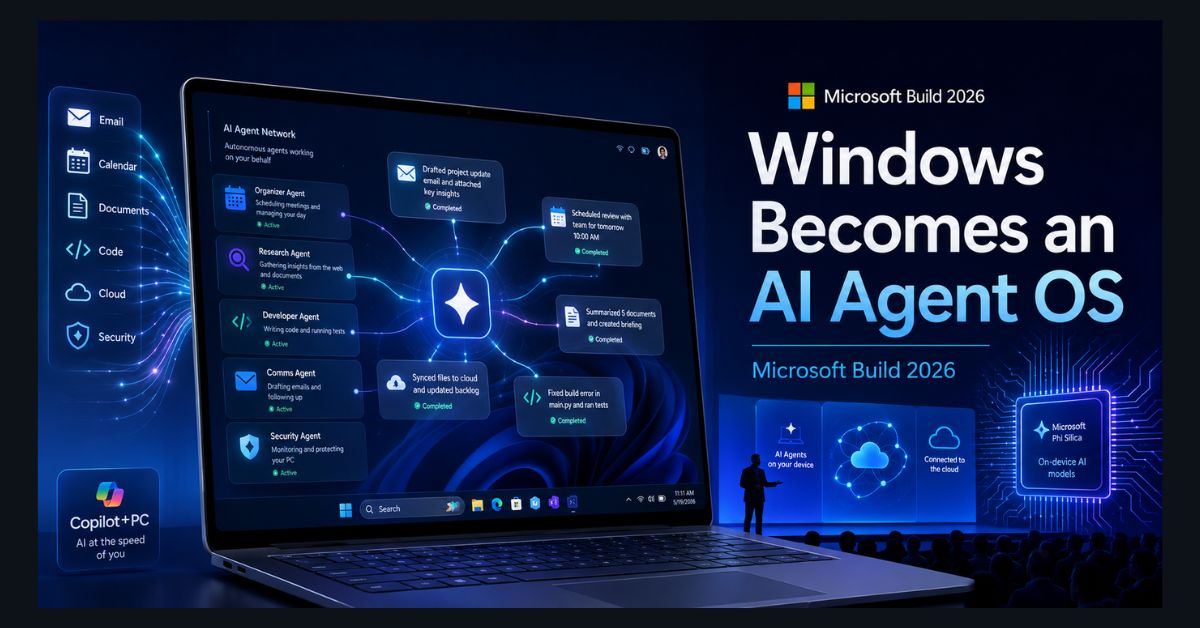
Microsoft just used its biggest developer event of the year to make a claim it has never made before: that Windows is no longer an operating system for people running apps, but a runtime for AI agents doing work on your behalf. Build 2026, held in San Francisco from June 2 and wrapping today, June 4, was less a feature update than a re-architecture pitch. CEO Satya Nadella framed the whole keynote around a single phrase — “agent-first” — and the announcements that followed touched Windows, Office, GitHub, Azure, and Microsoft’s own chips.
Most of the coverage so far has been aimed at enterprise IT departments and developers. This breakdown translates it into what actually matters if you use a Windows PC, pay for Microsoft 365, or write code with Copilot.
What did Microsoft actually announce at Build 2026?
The headline is that Microsoft introduced seven new in-house AI models under a family it calls MAI (Microsoft AI), announced by AI chief Mustafa Suleyman. These are Microsoft’s own models, separate from the OpenAI GPT models that have powered Copilot until now — a significant strategic shift that signals Microsoft no longer wants to depend solely on a partner for its core intelligence.
Two of the MAI models stood out. MAI-Image-2.5 (with a faster “Flash” variant) was pitched as a step-change in image quality, with Microsoft claiming it ranks second in its category and edges out Google’s Nano Banana 2. It is already live inside PowerPoint, rolling out to OneDrive, and available to developers through Microsoft Foundry. The second, MAI-Transcribe-1.5, was billed as the most accurate transcription model available, covering 43 languages and beating flagship models from Google and OpenAI on Microsoft’s own benchmarks. If you have ever wrestled with garbled auto-captions in Teams, that is the practical target.
Beyond the models, Microsoft revealed a stack of agent infrastructure: the Microsoft Agent Framework for building agents that can act across apps, Scout for Microsoft 365, a new GitHub Copilot desktop app, the MXC kernel-level security sandbox for running agents safely, and Project Solara, a platform for a new class of agent-first devices. There was even hardware news, including a Surface RTX Spark Dev Box built with Nvidia and a next-generation Majorana 2 quantum chip. To round it out, Microsoft said its MAI models are co-designed with its own Maia 200 chip, claiming a 1.4x efficiency improvement from tuning the hardware and software together.
That is a dense list. The throughline is simple: Microsoft wants every layer it controls — the OS, the productivity suite, the developer tools, the cloud, and the silicon — to assume that an autonomous agent, not a human clicking a mouse, is the primary user.
What is “Windows Local AI” and why does it matter?
The most consequential consumer announcement is the push to run AI on your device instead of in the cloud. Microsoft introduced on-device small language models — named Aion 1.0 Instruct and Aion 1.0 Plan — designed for everyday tasks like summarizing text, rewriting, detecting intent, and accessibility features. Windows + Devices executive Pavan Davuluri framed the goal as letting AI workloads run “on-device, in the cloud, or across both without trade-offs.”
Why should you care? Three reasons. Privacy: an agent that summarizes a sensitive document locally never sends that data to a server. Speed: local inference removes the round-trip lag of calling a cloud model. Offline use: Microsoft demonstrated agents working in airplane mode. The catch is hardware. On-device agents lean heavily on the NPU (neural processing unit) inside modern AI PCs, which means the experience will be dramatically better on a recent Copilot+ machine than on a five-year-old laptop. If you are wondering whether your current PC qualifies, our guide on whether your PC can run Windows 12 covers the same hardware thresholds, and the new wave of AMD Ryzen AI processors are exactly the kind of silicon these features are built for.
How does this change Microsoft 365 and Office?
For the hundreds of millions of people who live in Word, Excel, and Outlook, the relevant change is Agent Mode for Microsoft 365. Instead of a single Copilot sidebar you chat with, Agent Mode lets you create and deploy multiple specialized agents that work across the whole suite. The example Microsoft keeps using: ask Copilot to “schedule a meeting and send the agenda from yesterday’s spreadsheet,” and Windows quietly coordinates an Outlook agent, an Excel agent, and a Teams agent to get it done — no manual app-switching required.
This is Microsoft’s direct answer to Google folding Gemini ever deeper into Workspace. If you have seen how Gemini now works across Google Docs, Sheets, and Slides, Agent Mode is the same competitive idea taken one step further toward autonomy. Both companies are betting the productivity battle of 2026 will be won by whoever makes the AI act on its own rather than wait for prompts — a theme that ran through everything Google announced at I/O 2026 just weeks ago.
What does it mean for developers and Copilot users?
For coders, Build 2026 pushed GitHub Copilot from an autocomplete assistant toward an autonomous developer that can build apps, run shell commands, and execute multi-step workflows — packaged into a new desktop app. Microsoft also showed Visual Studio agents that take on persistent roles like code reviewer or test architect.
This is a big deal, but it lands in a tense moment. Copilot users were already frustrated this month over pricing, as we covered in our report on the GitHub Copilot token-billing backlash — and more autonomous agents typically consume far more tokens than simple completions, which raises obvious questions about cost. If you are weighing your options, our roundup of the best AI coding assistants of 2026 compares Copilot against rivals, and our explainer on what Claude Code is covers the agentic-coding approach Anthropic has been pushing as a direct competitor.
How do MAI models stack up against ChatGPT, Claude, and Gemini?
Launching its own model family puts Microsoft on the same field as the labs it has historically partnered with or competed against. The MAI lineup is explicitly tuned for agentic tasks — tool use, memory, and multi-step reasoning — rather than just chat, which reflects where the whole industry is heading. On image generation specifically, Microsoft’s claim that MAI-Image-2.5 ranks #2 is notable but unverified by independent testing as of today.
The honest read: Microsoft’s advantage is not necessarily having the single smartest model, but owning the distribution. A model baked into Windows and Office reaches more users by default than any standalone app. For a sense of where these new entrants sit against the established players, our ranking of the top AI models and our head-to-head Claude vs ChatGPT vs Gemini comparison are the best starting points.
Should you care if you just use a regular Windows PC?
Short term, not much changes overnight. Many of these features roll out gradually through 2026, target Copilot+ PCs first, and lean toward enterprise and developer audiences. You do not need to do anything today.
Medium term, the direction is clear and worth tracking. Windows is being rebuilt so that agents — not just apps — are first-class citizens, and the best experiences will require an AI PC with a capable NPU. If you are due for an upgrade this year, that is now a real factor in what to buy. And if your existing machine is feeling sluggish before any of this arrives, our practical guide on how to make your laptop faster will get you more headroom in the meantime.
The bigger picture: Build 2026 confirms that 2026 is the year “AI assistant” quietly becomes “AI agent” across every major platform. Microsoft, Google, and the model labs are all racing to the same place — software that does the task instead of just suggesting how. Apple is being pulled into the same race too, with WWDC 2026 reports around Siri, Gemini, and iOS 27 showing how even the iPhone ecosystem is being reshaped around more capable AI assistants. Whether that future arrives as smoothly as the keynote demos suggested is the open question. The plumbing, at least, is now being laid.
FAQ
1. When is Microsoft Build 2026 and where was it held?
Microsoft Build 2026 ran from June 2 through June 4, 2026, in San Francisco, with keynotes streamed free online. It is Microsoft’s flagship annual developer conference, and this year’s edition was themed entirely around “agent-first” computing across Windows, Microsoft 365, GitHub, and Azure.
2. What are Microsoft’s MAI models?
MAI (Microsoft AI) is a new family of seven in-house AI models Microsoft unveiled at Build 2026, separate from the OpenAI GPT models that previously powered Copilot. The lineup includes MAI-Image-2.5 for image generation and MAI-Transcribe-1.5 for speech-to-text, and the models are tuned for agentic tasks like tool use and multi-step reasoning.
3. Will Windows AI agents run on my current PC?
Some cloud-based features will work on most modern Windows 11 PCs, but the on-device “Windows Local AI” agents are optimized for AI PCs with a dedicated NPU, such as Copilot+ machines running recent Snapdragon, Intel, or AMD chips. Older PCs without an NPU will have a more limited experience or rely on the cloud.
4. What is Office 365 Agent Mode?
Agent Mode is a new Microsoft 365 feature that lets you create and run multiple specialized AI agents across Word, Excel, Outlook, and Teams instead of using a single Copilot chat. The agents can coordinate to complete multi-step tasks, such as scheduling a meeting and drafting an agenda from a spreadsheet, automatically.
5. Does Build 2026 change anything for GitHub Copilot users?
Yes. Microsoft moved GitHub Copilot toward an autonomous agent that can build apps, run commands, and execute workflows from a new desktop app, rather than just suggesting code. This expands what Copilot can do but also raises cost questions, since agentic tasks consume more tokens than simple code completions.