

Quick Answer
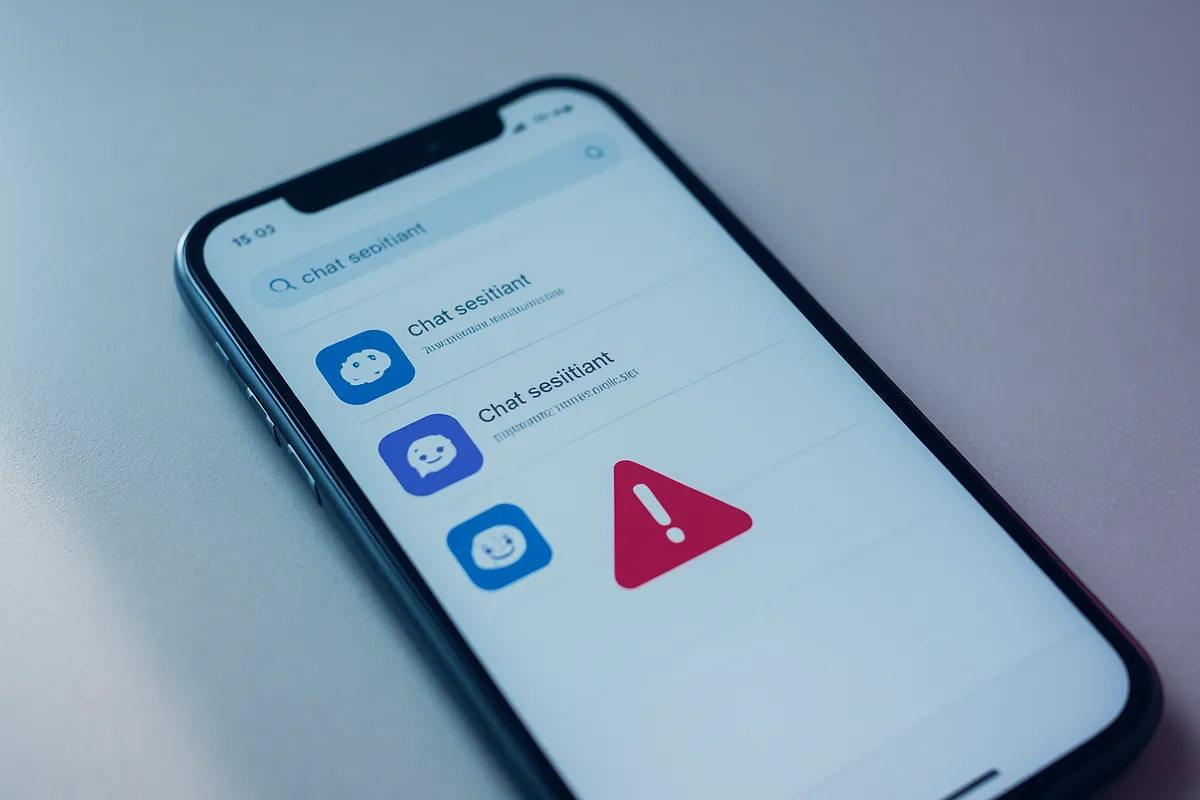
Fake ChatGPT apps are flooding the App Store and Google Play, charging steep subscriptions for a free service or hiding malware that steals your data. The real ChatGPT app is free and published by OpenAI. Before installing any ChatGPT app, check that the developer is OpenAI, and never pay a third-party app for basic ChatGPT access.
Key Takeaways
- Fake ChatGPT apps use the tool’s popularity to run subscription traps or install malware.
- The real ChatGPT app is free and published by OpenAI on the App Store and Google Play.
- Any third-party app charging weekly or monthly for basic ChatGPT access is likely fleeceware.
- Verify the developer name, download count, and honest reviews before installing.
- If you were charged, cancel the subscription, request a refund, and report the app.
What is the fake ChatGPT app scam?
The fake ChatGPT app scam is a wave of copycat apps that exploit ChatGPT’s popularity to take your money or your data, and the risk is real enough to check before you install. Because so many people search app stores for ChatGPT, scammers publish lookalike apps that either charge for a free service or hide malware. The Federal Trade Commission and security researchers have flagged this as an ongoing problem through 2026 on both Android and iPhone.
The trick works because most people do not scrutinize an app before downloading it. A polished icon, a familiar name, and a page full of glowing reviews are enough to convince a hurried user. Once installed, the app quietly starts a subscription, floods you with ads, or in the worst cases steals your information.
None of this means ChatGPT itself is unsafe. The problem is impostor apps riding on its name, not the genuine tool. Knowing how to tell the real app from the fakes takes the danger away, which is what the rest of this guide covers.
What kinds of fake ChatGPT apps are out there?
Fake ChatGPT apps fall into a few categories, from merely annoying to genuinely dangerous. Understanding the type helps you judge the risk. Here is a breakdown of the main ones researchers have documented.
| Type | What it does | The risk |
|---|---|---|
| Fleeceware | Charges steep subscriptions for a free service | Runs up large recurring charges |
| Chargeware | Starts covert subscriptions or premium texts | Drains your phone bill or card |
| Spyware and malware | Steals passwords, data, and crypto wallets | Identity theft and account loss |
| Adware | Floods you with ads and harvests data | Privacy loss and constant ads |
| Fake download sites | Offers fake desktop installers | Installs password-stealing malware |
Fleeceware is the most common flavor on mobile, where an app charges as much as $10 or more a week for something free, and a forgetful user can run up well over $100 before noticing. Security firm Sophos found one such developer reportedly earned more than $1 million in a single month. At the dangerous end, fake desktop download pages have delivered password-stealing malware disguised as a ChatGPT installer.
How can you tell if a ChatGPT app is fake?
You can usually tell a fake ChatGPT app in under a minute by checking the developer, the reviews, and the price. The single most reliable check is the developer name: the official app is published by OpenAI, so anything listed under a different developer is not the real thing. That one detail catches most impostors.
Beyond the developer, look at the numbers and the fine print. The real app has millions of downloads, so an app with few installs or suspiciously generic five-star reviews is a warning sign. Filter the reviews for one-star ratings and read them, since scam apps often have hidden complaints about aggressive billing buried under fake praise. Be wary of apps that appear at the top of search results marked as an ad.
The clearest red flag of all is being asked to pay for basic access. ChatGPT is free to use, so any third-party app charging a weekly or monthly fee just to chat is almost certainly fleeceware. Stop here and check the developer name before you install any ChatGPT app, and if it is not OpenAI, do not download it.
How do you get the real ChatGPT app?
You get the real ChatGPT app by downloading it directly from the official source and confirming the developer. On your phone, search the App Store or Google Play for “openai chatgpt” and install the app published by OpenAI, not a similarly named clone. You can also start from OpenAI’s official download page, which links to the genuine apps.
OpenAI’s own guidance stresses the same point: make sure the app is the one published by OpenAI to get the official, secure version. Its official help article walks through finding the real app on the App Store. OpenAI released its official free app back in 2023, so any brand-new paid app claiming to be the exclusive way to use ChatGPT is a red flag. The genuine app is free, and you only pay if you choose to upgrade to a paid plan through OpenAI itself.
If you would rather use ChatGPT without any app, you can simply visit chatgpt.com in your phone or computer’s web browser. That avoids the app-store risk entirely. For other trustworthy options, our roundup of the best free ChatGPT alternatives covers legitimate free AI tools worth knowing.
What should you do if you downloaded a fake ChatGPT app?
If you already downloaded a fake ChatGPT app, act quickly to stop charges and remove any risk. Back up your phone first if you plan to run a security scan, so nothing important is lost during cleanup. Then work through these steps.
- Cancel any subscription immediately in your App Store or Google Play account Settings, since deleting the app alone does not stop billing.
- Request a refund from Apple or Google, explaining that the app is a misleading ChatGPT clone.
- Delete the app from your device to stop it running.
- Run a security scan with a trusted mobile security app if you suspect malware.
- Watch your bank and card statements for unexpected charges, and report the app to Apple or Google.
If you entered any passwords or personal details into the app, change those passwords right away from a device you trust. Report the scam to the FTC at ReportFraud.ftc.gov as well. For a related threat, our guide on the fake CAPTCHA malware scam covers another way apps and pages trick people into installing malware.
How do you avoid AI app scams going forward?
Avoiding AI app scams comes down to a few consistent habits that work for any trending app, not just ChatGPT. Always download from official app stores, verify the developer name, and be skeptical of any app charging for a service you know is free. Scammers move fast to copy whatever is popular, so the same caution applies to fake apps mimicking other AI tools.
Keeping your phone updated also helps, since security patches close the holes that malicious apps try to exploit. Our guide on the latest Android security update explains how to stay current, and our explainer on Android’s new sideloading verification covers how app-source rules are tightening.
Finally, treat any surprise charge or aggressive upsell as a reason to slow down and check. The same instinct that protects you from a fake FTC agent or an Amazon Prime refund scam works here: verify before you pay, and when something feels off, it usually is.
FAQ
Is there an official ChatGPT app?
Yes, OpenAI publishes an official, free ChatGPT app on the App Store and Google Play. Make sure the developer listed is OpenAI before installing, since many clones exist.
Why do fake ChatGPT apps charge money?
They are usually fleeceware, which charges steep subscriptions for a service that is free from OpenAI. Any third-party app billing you for basic ChatGPT access is a warning sign.
Can a fake ChatGPT app steal my data?
Yes, some fake apps contain spyware or malware that can steal passwords, personal data, and crypto wallets. That is why downloading only the official app matters.
How do I get a refund for a fake ChatGPT app?
Cancel the subscription in your App Store or Google Play settings, then request a refund from Apple or Google. Deleting the app alone does not stop the billing.
Is it safer to use ChatGPT in a browser?
Yes, visiting chatgpt.com in a browser avoids the risk of a fake app entirely. It is the same free service without an app-store download.