

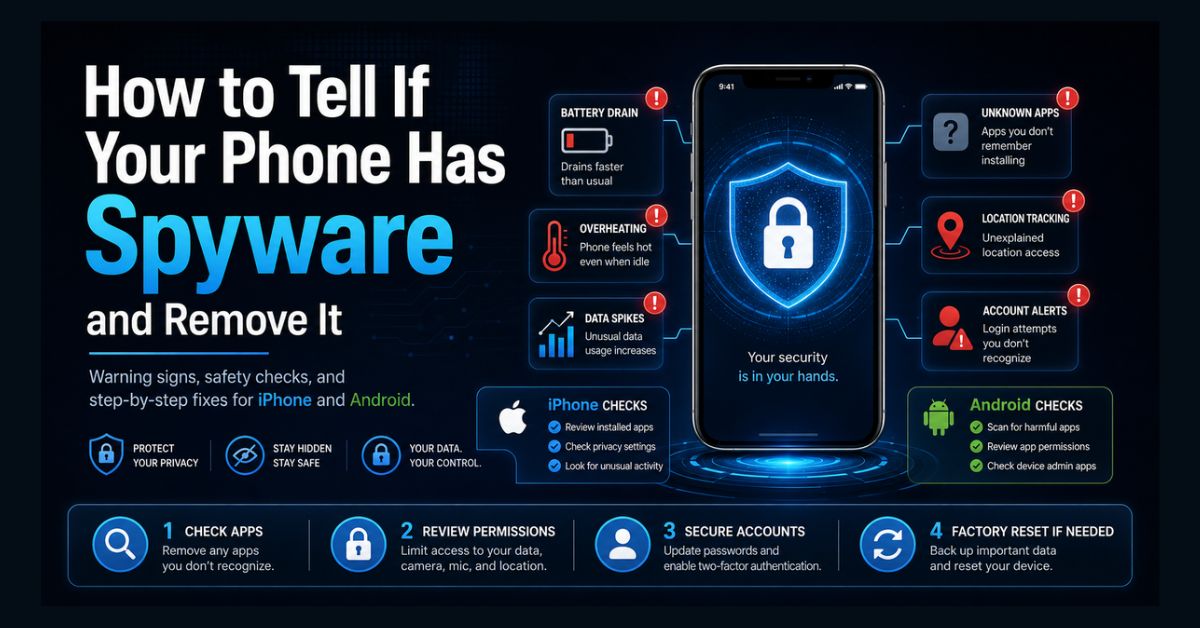
Signs of phone spyware include sudden battery drain, overheating when idle, unexplained data spikes, and unfamiliar apps, or someone knowing private details they shouldn’t. To check, review your apps, permissions, and device profiles, then remove it by updating your OS, running a scan, revoking admin access, and factory resetting if needed.
- Top warning sign: someone knows things about you they could only learn by monitoring
- iPhone: usually account abuse (your Apple Account), not an installed app
- Android: check apps, permissions, device admin, and accessibility services
- Safety first: if an abuser may have installed it, plan before removing it
- Surest fix: a factory reset, set up as new without restoring an old backup
A phone holds your messages, location, photos, and accounts, which makes it the single richest target for someone who wants to monitor you. Spyware, software that secretly tracks a device, is more common than most people think, and modern versions are built to stay hidden. The good news is that it almost always leaves clues, and in most cases you can find and remove it yourself.
This guide covers the warning signs, how to check an iPhone and an Android, and how to remove spyware safely. One important note comes first, because for many people this is not just a tech problem.
How can you tell if your phone has spyware?
The clearest sign is not technical at all: someone knows things about you they should not, your exact location, the content of private messages, or where you have been. That is the strongest indicator that your phone or accounts are being monitored.
Alongside that, spyware running constantly in the background tends to leave a physical trail, including faster battery drain, overheating, unexplained data usage, and sluggish performance. Any one of these can have an innocent cause, but several together, especially with the “they know too much” sign, warrant a closer look.
Warning signs of phone spyware
Watch for these, particularly if more than one appears at once:
- The “they know too much” tell: a person references private conversations, locations, or messages you never shared with them.
- Rapid battery drain and the phone running warm or hot while idle.
- Unexplained spikes in mobile data, since spyware uploads what it captures.
- Unfamiliar, generically named apps like “System Update,” “Wi-Fi Service,” “Device Health,” or “Battery Optimizer.”
- On iPhone, the location arrow staying lit when you are not using maps.
- Account red flags: logins from unfamiliar devices or cities, disabled two-factor authentication, or password resets you did not request.
If pop-ups are your main symptom, that is more often adware than spyware, and our guide to stopping pop-ups on Android covers that case.
Before you remove it: an important safety warning
Spyware is frequently installed by someone close to the victim, an abusive partner, ex, or family member, in which case it is called stalkerware. If that may be your situation, please read this before deleting anything.
Removing stalkerware can alert the person who installed it, because the software stops reporting, and that can escalate the abuse. The safest approach, recommended by the FTC and the Coalition Against Stalkerware, is to plan first: talk to a domestic violence advocate about a safety plan, and preserve evidence (screenshots, unusual settings) before making changes. Contact that advocate from a different device that is not being monitored, such as a friend’s phone or a library computer. In the US, the National Domestic Violence Hotline is available 24/7 at 1-800-799-7233. Your safety matters more than any setting on the phone.
How to check for spyware on iPhone
iPhones are hard to compromise with a traditional spy app unless the device has been jailbroken. More often, “iPhone spyware” is actually someone using your Apple Account, the sign-in Apple called an Apple ID until iOS 18. Work through these checks.
- Look for jailbreak apps. Apps named Cydia, Sileo, or Zebra mean the phone was jailbroken and its protections removed.
- Check device profiles. Go to Settings > General > VPN & Device Management and remove any configuration profile you do not recognize (unless your employer or school installed it).
- Review Apple Account devices. Open Settings > [your name], scroll down to the device list, and remove any device you do not recognize; Apple’s device list guide explains each entry.
- Check mail and calendar accounts. In Settings > Apps > Mail > Mail Accounts, look for accounts you did not add, which can sync your data to someone else.
- Run Safety Check. Settings > Privacy & Security > Safety Check lets you review and stop sharing data with people and apps; Apple’s personal safety guide walks through it.
Then change your Apple Account password and confirm two-factor authentication is on. If someone has your Apple Account password, no app needs to be on your phone for them to see synced messages, photos, and your location.
How to check for spyware on Android
Android is more open, so app-based stalkerware is more common. Check these four places.
- Installed apps. Go to Settings > Apps and review the full list, including system apps, for anything unfamiliar or generically named.
- Permissions. Open the Permission manager and look for apps with access to your microphone, camera, location, or SMS that have no reason to need it.
- Device admin apps. In Settings > Security, check Device admin apps; stalkerware often registers here to block uninstallation.
- Accessibility services. In Settings > Accessibility, look for services you did not enable; spyware abuses these to read your screen and keystrokes.
Also run a scan with Google Play Protect (in the Play Store, tap your profile, then Play Protect, then Scan). Note that Play Protect and consumer antivirus catch many known threats but can miss custom or updated stalkerware.
Where to look: iPhone vs Android
| Check | iPhone | Android |
| Unknown apps | Rare unless jailbroken | Settings > Apps |
| Device profiles | VPN & Device Management | — |
| Hidden control | Jailbreak apps (Cydia) | Device admin + Accessibility |
| Account abuse | Apple Account devices & Safety Check | Google account security |
| Built-in scan | Keep iOS updated | Google Play Protect |
How to remove spyware from your phone
Once you are sure it is safe to act, work through these steps in order.
- Preserve evidence and back up safely. Screenshot anything suspicious, and back up photos and important files, but do not plan to restore apps from an old backup later, as that can reinstall the spyware.
- Update your operating system. Updates patch the flaws much spyware relies on.
- Run a security scan. Use Play Protect and a reputable mobile anti-malware app to catch known threats.
- Revoke access, then uninstall. On Android, remove the app’s device-admin and accessibility permissions first, then uninstall it. On iPhone, delete any unknown configuration profile.
- Secure your accounts from a clean device. Change every password, starting with email; turn on two-factor authentication using an authenticator app rather than SMS; and sign out of all active sessions. If accounts were exposed, our guide to checking for a data breach helps.
- Factory reset as the sure fix. A full reset removes nearly all spyware. Set the phone up as new and do not restore from the old backup. If an abuser has deep access, a new phone with a fresh account may be safest.
How to protect your phone from spyware
Prevention is mostly about physical access and account security:
- Lock your phone with a strong PIN or biometrics, set it to lock immediately, and never share the code.
- Keep your operating system and apps updated.
- Protect your Apple Account or Google account with a strong, unique password and an authenticator-app 2FA.
- Be cautious about a “gift” of a phone or tablet, which can arrive with stalkerware preloaded.
- Be wary if someone insists on “updating” or “fixing” your device, and on Android, avoid sideloading from unknown sources. A trustworthy mobile security setup pairs well with safe browsing habits, as in our guide to VPN safety.
When to get professional help
If your security scans come back clean but the symptoms persist, or if you suspect advanced, commercial-grade spyware such as Pegasus-class tools, a do-it-yourself check may not be enough. Highly sophisticated spyware can operate below the level consumer apps can see, and confirming it usually requires a professional digital-forensics examination, which is also the only way to preserve court-admissible evidence.
The same is true for account-based surveillance, where no app is on your phone at all and someone simply logs into your synced accounts. In abusive situations, combine technical help with a domestic violence advocate and, if you choose, law enforcement. For the broader picture of protecting your data, our cybersecurity and data privacy hub is a good next stop.
The bottom line
Most phone spyware betrays itself through battery drain, overheating, data spikes, strange apps, or someone knowing too much, and most of it can be removed by updating, scanning, revoking access, and, when in doubt, factory resetting. The one rule that overrides all the technical steps: if someone who might harm you may have installed it, plan for your safety first and reach out for support before you act.
If you are experiencing abuse, the National Domestic Violence Hotline (US) is available 24/7 at 1-800-799-7233, and the Coalition Against Stalkerware offers guidance at stopstalkerware.org. Contact them from a device that is not being monitored.
FAQ
How do I know if there is spyware on my phone?
The strongest sign is someone knowing private details they could only get by monitoring you. Technical signs include rapid battery drain, overheating while idle, unexplained data usage, and unfamiliar, generically named apps. On Android, also check device admin apps and accessibility services; on iPhone, check device profiles and the devices signed in to your Apple Account.
Can someone put spyware on my iPhone?
It is difficult unless the iPhone is jailbroken, which leaves clear signs like a Cydia app. Far more often, iPhone monitoring happens through Apple Account abuse: if someone has your Apple Account password and bypasses two-factor authentication, they can see your synced messages, photos, and location without installing anything. Securing your Apple Account is the key fix.
Should I remove stalkerware right away?
Not necessarily. If an abuser installed it, removing it can alert them and escalate the danger, because the monitoring suddenly stops. If you may be in an abusive situation, talk to a domestic violence advocate about a safety plan first, preserve evidence, and contact them from a device that is not being monitored.
Does a factory reset remove spyware?
Yes, a full factory reset removes nearly all phone spyware. The important part is to set the phone up as new afterward and not restore apps from an old backup, since that can reinstall the spyware. If someone has deep access to your accounts or devices, a new phone with a fresh account may be the safest option.
Will antivirus apps detect all phone spyware?
No. Reputable anti-malware apps and Google Play Protect catch many known spyware and stalkerware families, but vendors update their software specifically to evade them, and some advanced spyware operates below what consumer tools can see. If scans are clean but symptoms continue, consider a professional digital-forensics examination.